Setting up your file correctly ensures your folded card print and folds perfectly every time. Follow these steps to prepare your design for production.
Folded Card Sizing
File Size for Folded Cards
You will setup your file based on the flat and unfolded size of your card including the bleed area on all sides.
Example:
For a vertically oriented A7 5x7 Folded Card, your file should be sized at 10.25x7.25, which is the unfolded flat dimensions of the card.
Selecting Card Size in Ordering Portal
When you place an order for a folded card using the standard sizing dropdown menu, you will select the size you would like based on the final folded size.
For a custom sized folded card, the dimensions you select should be the unfolded and flat dimensions of the final cut size.Front and Back Files for Folded Cards
When uploading a PDF that includes both front and back artwork in one file for a folded card:
- The Front File should contain the visible artwork of the front and back of the card when folded or closed.
- The Back File should include the content printed on the inside of the card.
Folded Card File Orientation
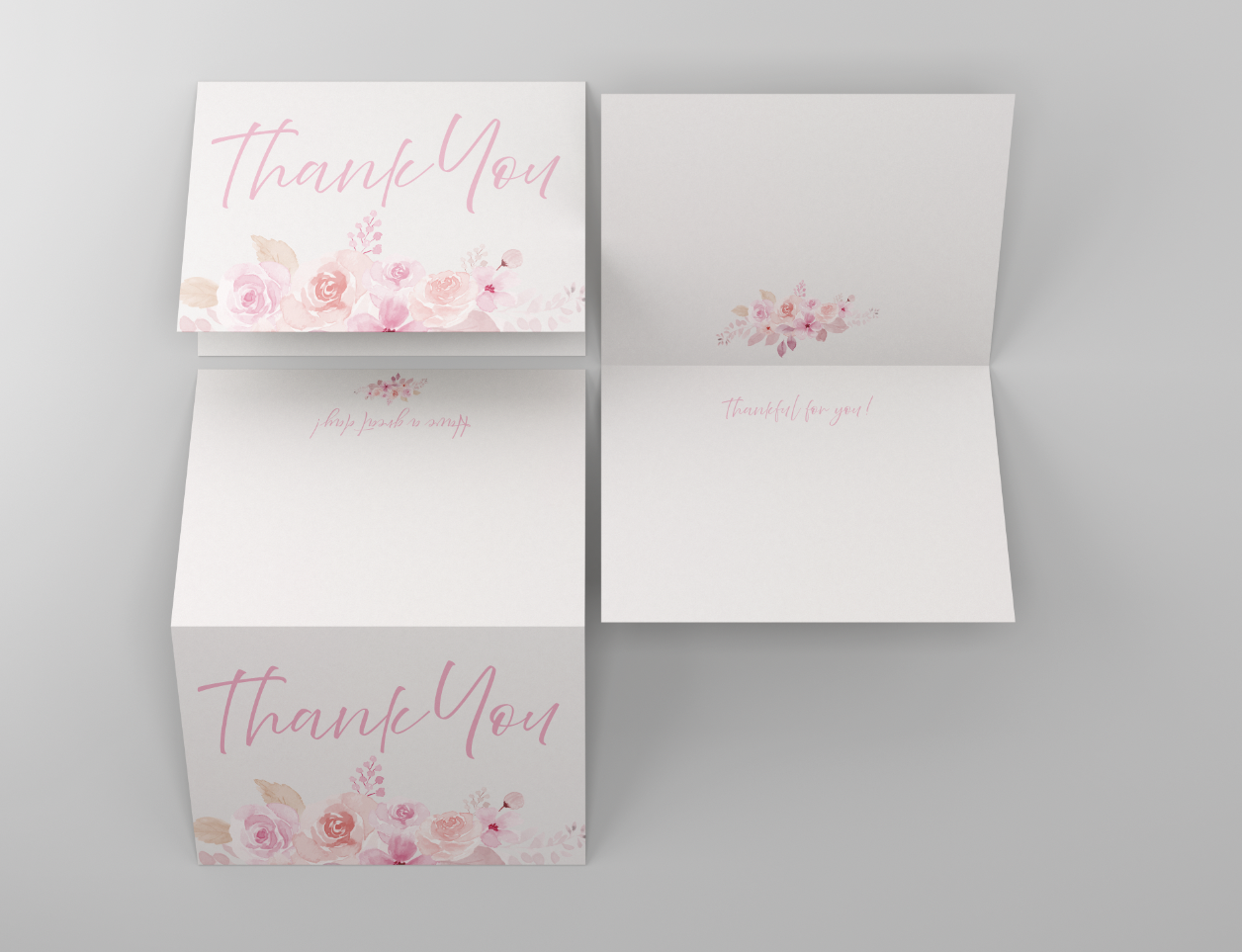
Set up your files so that they are read in the same orientation as intended for the viewer. This ensures your design faces the correct direction once folded. Utilizing our templates for folded cards is a great way to make sure your files are correctly setup to print folded cards. Additionally, using the digital preview in the Ordering Portal to double check file orientation is a great last step before submitting your order.
Vertical Folded Cards: Fold along the left edge, like a book. Files should be submitted in the same orientation.
Horizontal Folded Cards: Fold along the top edge, like a calendar. Files should be submitted with the back file rotated 180 degrees.
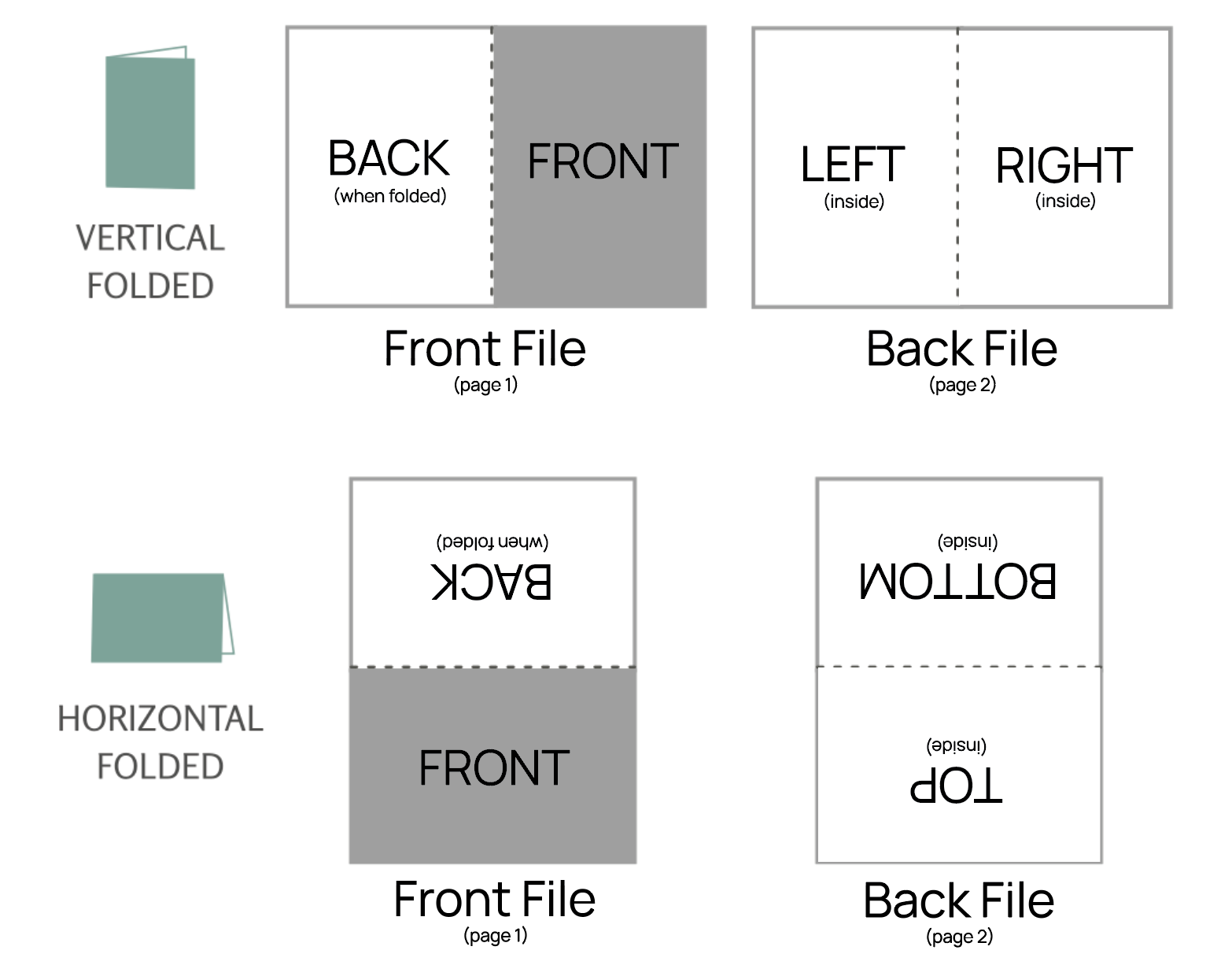
The inside file for a horizontally folded note should be rotated 180° to appear upside down. Check out this article for additional information: How should my back file be set up for printing?Related Articles:
Was this article helpful?
That’s Great!
Thank you for your feedback
Sorry! We couldn't be helpful
Thank you for your feedback
Feedback sent
We appreciate your effort and will try to fix the article