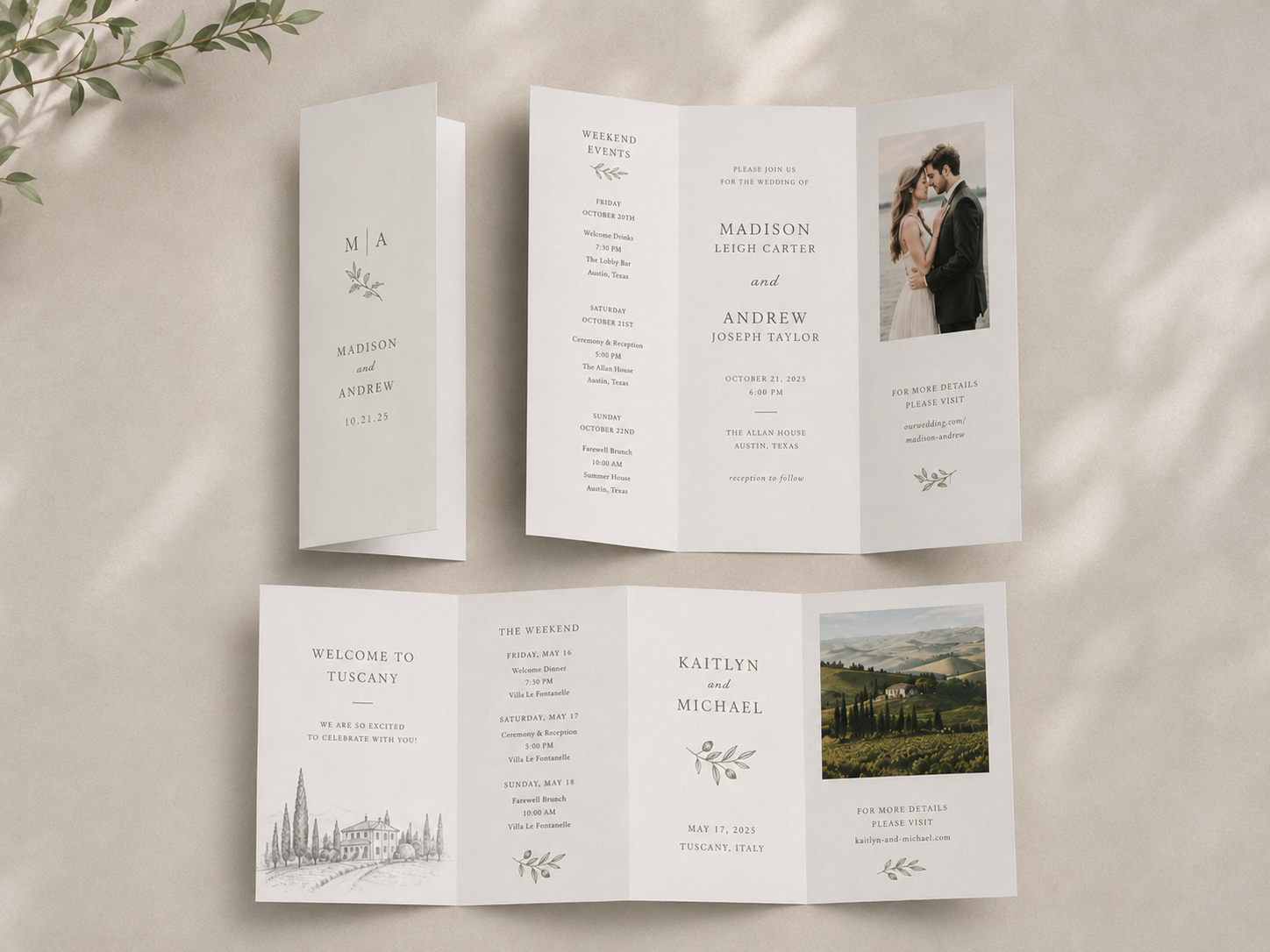
Setting up your tri-fold or quad-fold cards correctly ensures that your panels fold accurately, your artwork aligns properly, and no important content is cut or hidden. Follow the steps below to prepare a print-ready file that folds perfectly every time.
Our standard tri-fold and quad-folds are roll folds, meaning the flat card is folded inward multiple times in the same direction to create multiple panels of approximately the same size. We also offer gatefold and z-fold cards, tri-fold card variations, that we have a separate article on. You can even order custom folded cards with PrintsWell.
File Dimensions
Your print-ready file must be flat and unfolded and should include a 0.125-inch bleed on all sides beyond the trim line. For standard sizes, refer to our templates for the proper file dimensions.
Examples:
Tri-fold (Letter size):
Folded size: 8.5” x 3.67”
Flat size (before folding): 8.5” x 11”
File size: 8.75” x 11.25”
Quad-fold:
Folded size: 8.5” x 2.75”
Flat size (before folding): 8.5” x 11”
File size: 8.75” x 11.25”
Proper Panel Setup
Tri-fold and quad-fold brochures are designed with multiple panels that fold inward in a specific order. Each panel must be sized and positioned accurately to ensure proper folding.
Tri-fold Layout
A tri-fold has three panels on each side:
Front side (outside):
Panel 1 (Cover): Front of the brochure
Panel 2 (Back Panel): The section that folds in first
Panel 3: The far-right section that appears on the back when folded
Quad-fold Layout
A quad-fold has four panels on each side:
The first three panels fold inward sequentially, with each inside panel slightly narrower than the previous one to accommodate the roll fold.
The last panel serves as the cover.
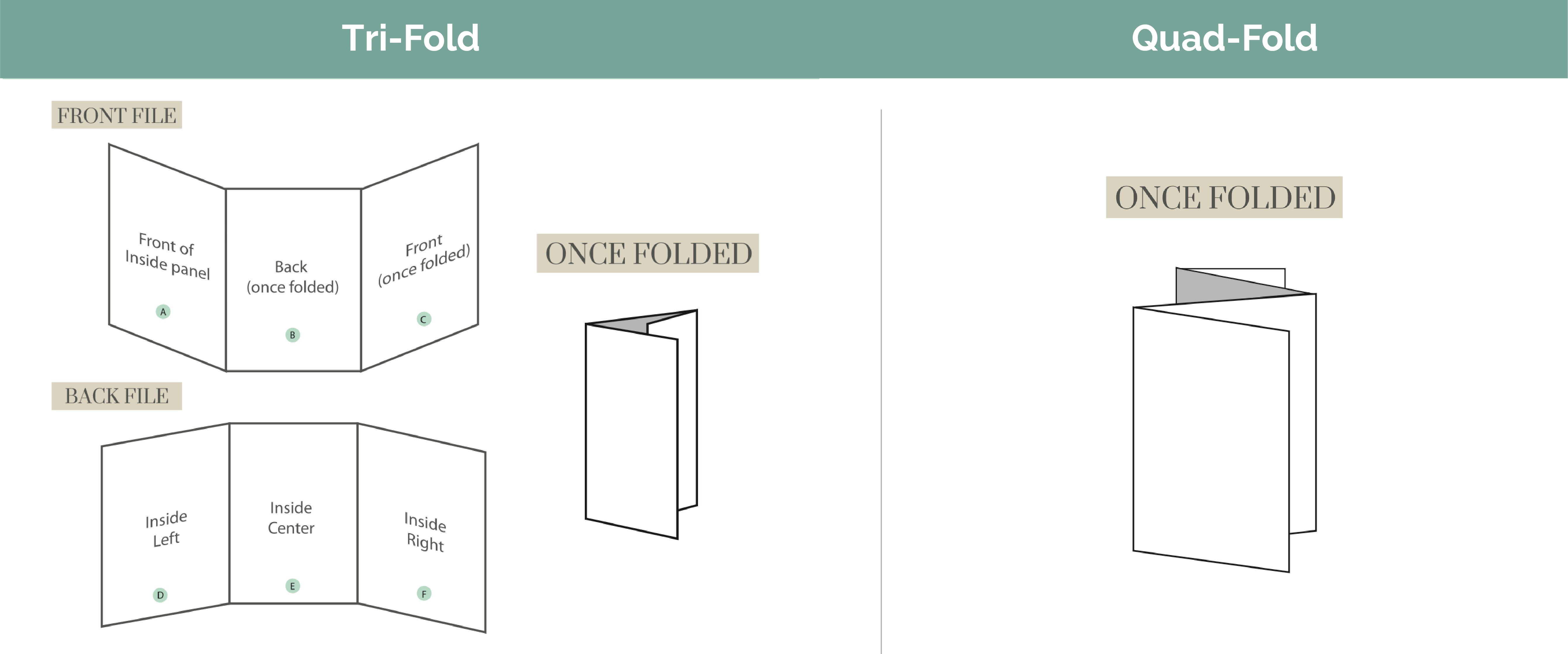
Front and Back Files
Front File – the outside panels (including the cover and back)
Back File – the inside panels (content revealed when the brochure is opened)
You can upload these as a single two page file or as a separate front and back file (excluding variable print runs) to the ordering portal.
Bleeds and Safe Zones
Extend background colors, images, or patterns 0.125 inches beyond the trim line on all sides.
Keep important text and graphics at least 0.125 inches inside the trim line and fold lines to avoid being cut off or obscured by folds.
Note: Bleeds ensure color and imagery reach the edge after trimming. Safe zones protect important information from folds or cuts.
Scores and fold lines should not be included on your file. If you are ordering a custom size, please add your score locations in the Request for Customer Service field when submitting your order.
Orientation
Set up your files so that they are read in the same orientation as intended for the viewer.
This ensures your design faces the correct direction once folded.
Vertical Folded Cards: Fold along the left edge (like a book)
Horizontal Folded Cards: Fold along the top edge (like a wall calendar)
Note: The inside file for a horizontally folded note should be rotated 180° to appear upside down. This is due to our adhesion of printing with the industry standard of print method head-to-head.
Summary Checklist:
Before submitting your tri-fold or quad-fold file, confirm the following:
File includes 0.125” bleed on all sides
File is flat and unfolded
Inside fold panels adjusted slightly narrower
Text and critical design elements are within safe zones
Orientation and panel order confirmed with our animated order preview feature
Score/fold marks added only for custom sizes
Related Articles:
Was this article helpful?
That’s Great!
Thank you for your feedback
Sorry! We couldn't be helpful
Thank you for your feedback
Feedback sent
We appreciate your effort and will try to fix the article