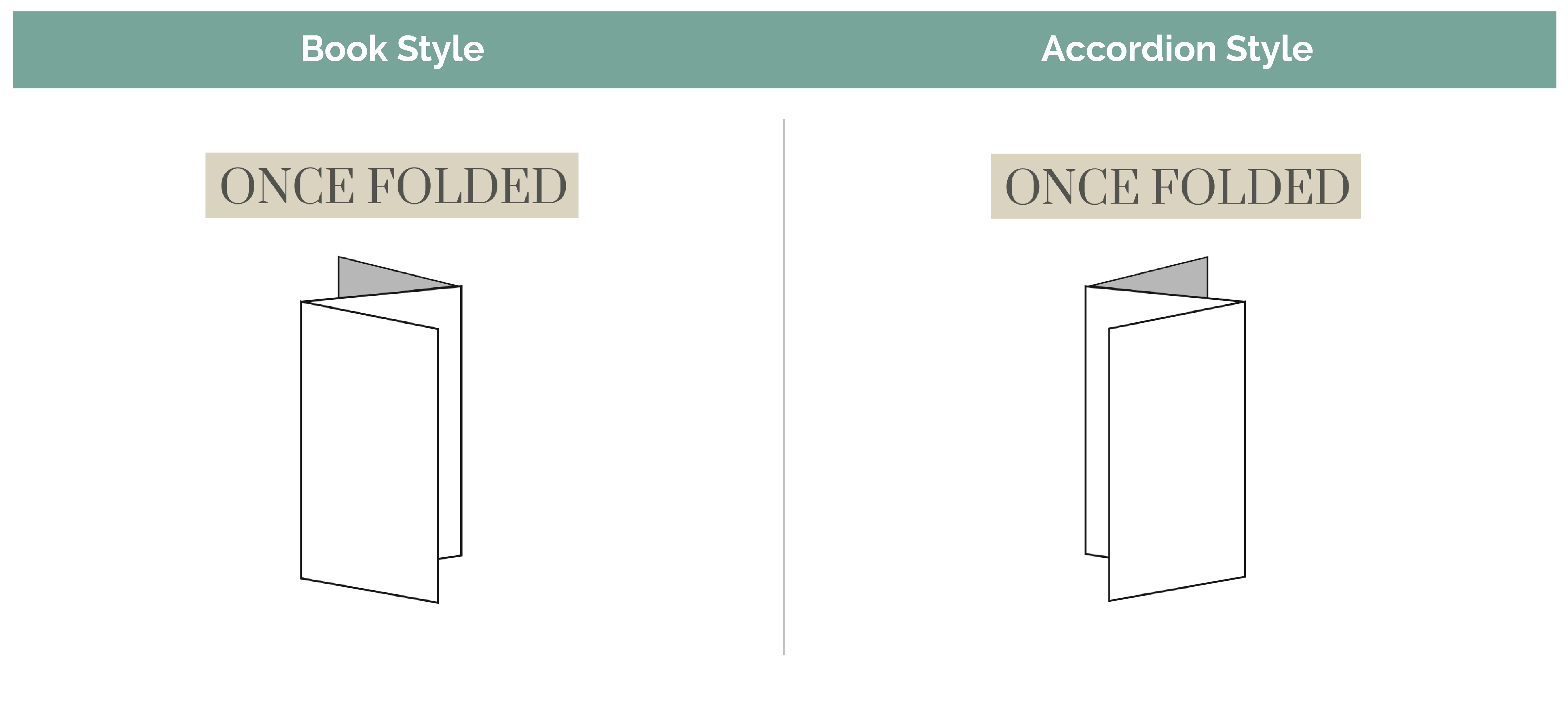
Z-Fold cards can be folded in two primary ways: Book Style and Accordion Style. When setting up a Z-Fold card or brochure, it’s important to understand the difference.
Although both have three panels on each side of the card, the folding direction and layout order are very different. Setting up your file correctly ensures that the content appears in the right order once printed and folded. To help ensure you are setting up your files to receive your desired outcome, please check out our downloadable templates.
Book Style
A Book Style Z-Fold opens like a traditional greeting card or booklet.
The left panel folds inward first, and the right panel becomes the front cover when folded.
How It Folds
The left panel folds forward, and the right panel folds backwards becoming the front.
When opened, the panels read left-to-right in natural reading order.
File Setup
Front File (Outside Artwork):
Left Panel: Inside Flap – folds in first
Middle Panel: Inside Center
Right Panel: Front Cover – visible when folded
Back File (Inside Artwork):
Left Panel: Inside Left
Middle Panel: Inside Right
Right Panel: Back Cover – shows when opened
Accordion Style
An Accordion Style (Z-Fold) alternates folds in opposite directions. One panel folds forward, the other folds back to create a continuous “Z” shape when opened.
How It Folds
The left panel folds backward, and the right panel folds forward.
When fully opened, all three panels are visible in a continuous spread.
File Setup
Front File (Outside Artwork):
Left Panel: Front Cover
Middle Panel: Inside Center Panel
Right Panel: Outside Right (when opened)
Back File (Inside Artwork):
Left Panel: Back Panel (when folded)
Middle Panel: Inside Center
Right Panel: Inside Right (when opened)
Orientation
You can set up your z-fold card to be scored either vertically or horizontally.
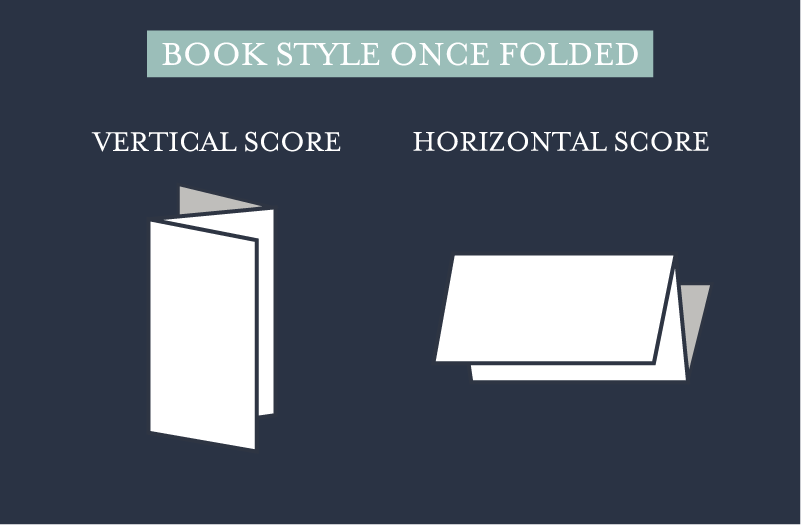
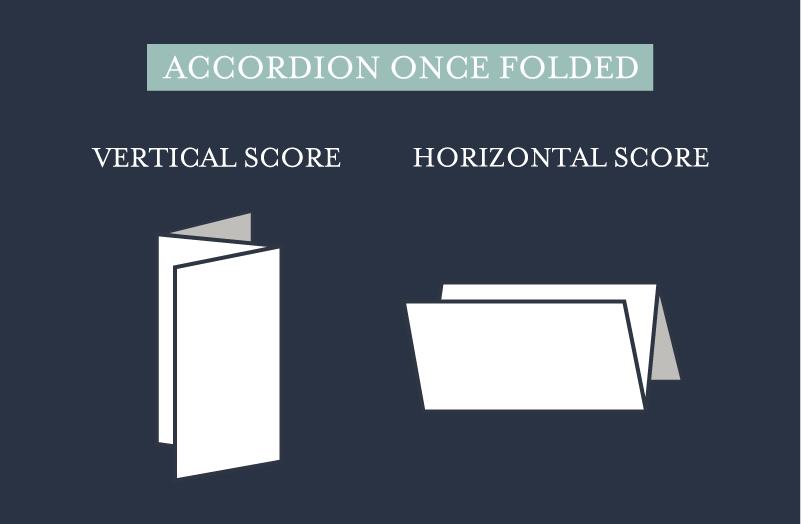
Note: The back file panels for a horizontally scored z-fold card should be rotated 180° to appear upside down. This is due to us printing with the industry standard of printing head-to-head.
Summary Checklist:
Before submitting your z-fold card files, confirm the following:
File is flat and unfolded
Text and key elements are at least 0.25” from folds
Score marks included only for custom sizes
Orientation matches how the card will be read
Related Articles:
Was this article helpful?
That’s Great!
Thank you for your feedback
Sorry! We couldn't be helpful
Thank you for your feedback
Feedback sent
We appreciate your effort and will try to fix the article