
For printing guest addresses on envelopes, you will need to supply a multi-page, print-ready file that contains one page per envelope front. The fastest way to create a multi-page file is to use the data merge feature provided by InDesign as well as Canva. To create the envelope pages, you will first need to set up a spreadsheet with all of the addresses to be printed.
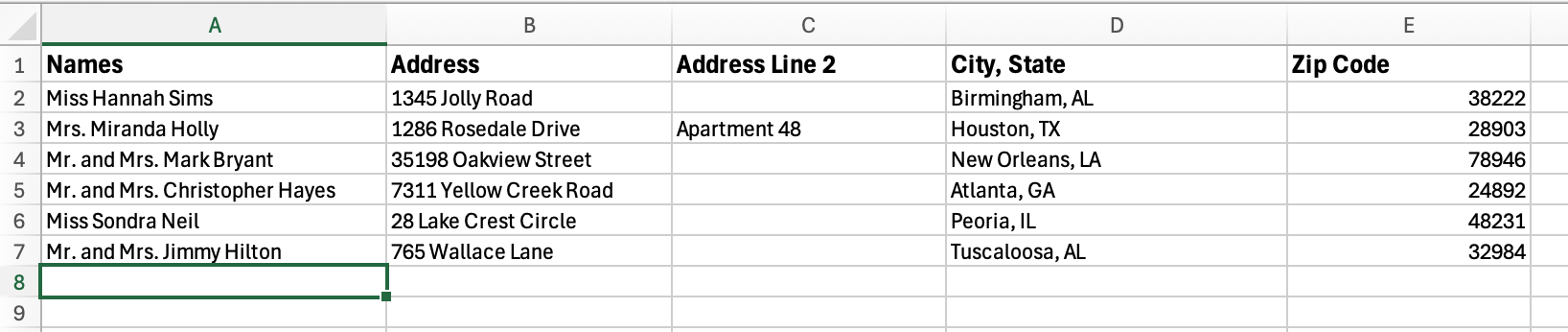
How to Structure Your Address List
On your spreadsheet, you will have one envelope address per row and use separate columns for each line of text on the envelope.
Formatting the Address Block
- Choose readable fonts
- Keep consistent spacing and alignment
- Ensure placement works within the printable area
- Avoid very thin or overly decorative scripts
Tip! Use a sample address from your spreadsheet to format your addresses! You will need to review each page after importing to ensure each page is formatted correctly. Not all addresses are the same length. How to Create the File
We have two helpful videos as well as written instructions for both methods of quick file setup using data merge.
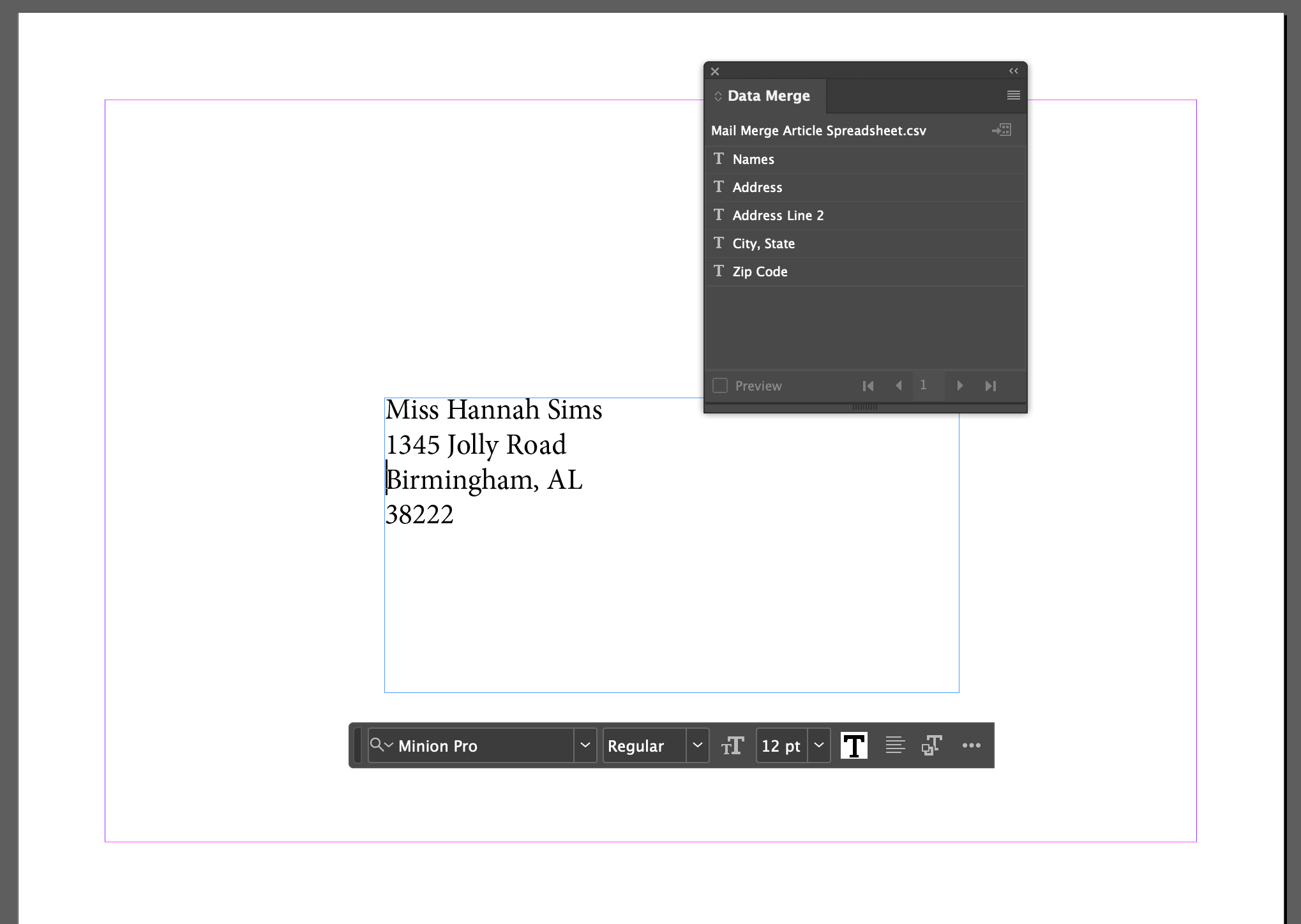
Option 1: InDesign (Data Merge)
Written Guide:
- Set up your envelope document
- Format your address block (font, size, spacing)
- Link your spreadsheet
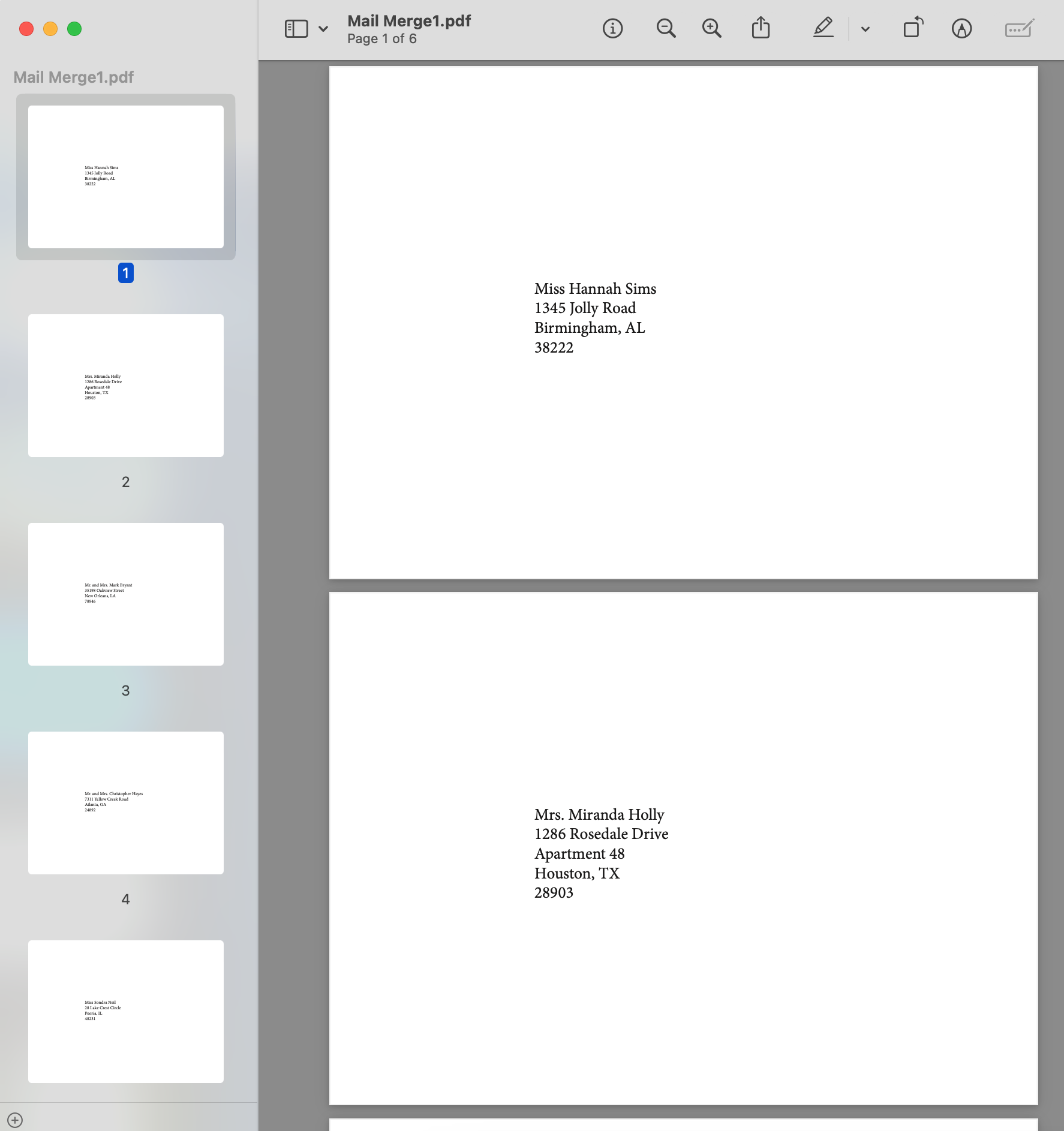
- Use Data Merge to generate pages
Option 2: Canva (Bulk Create)
Written Guide:
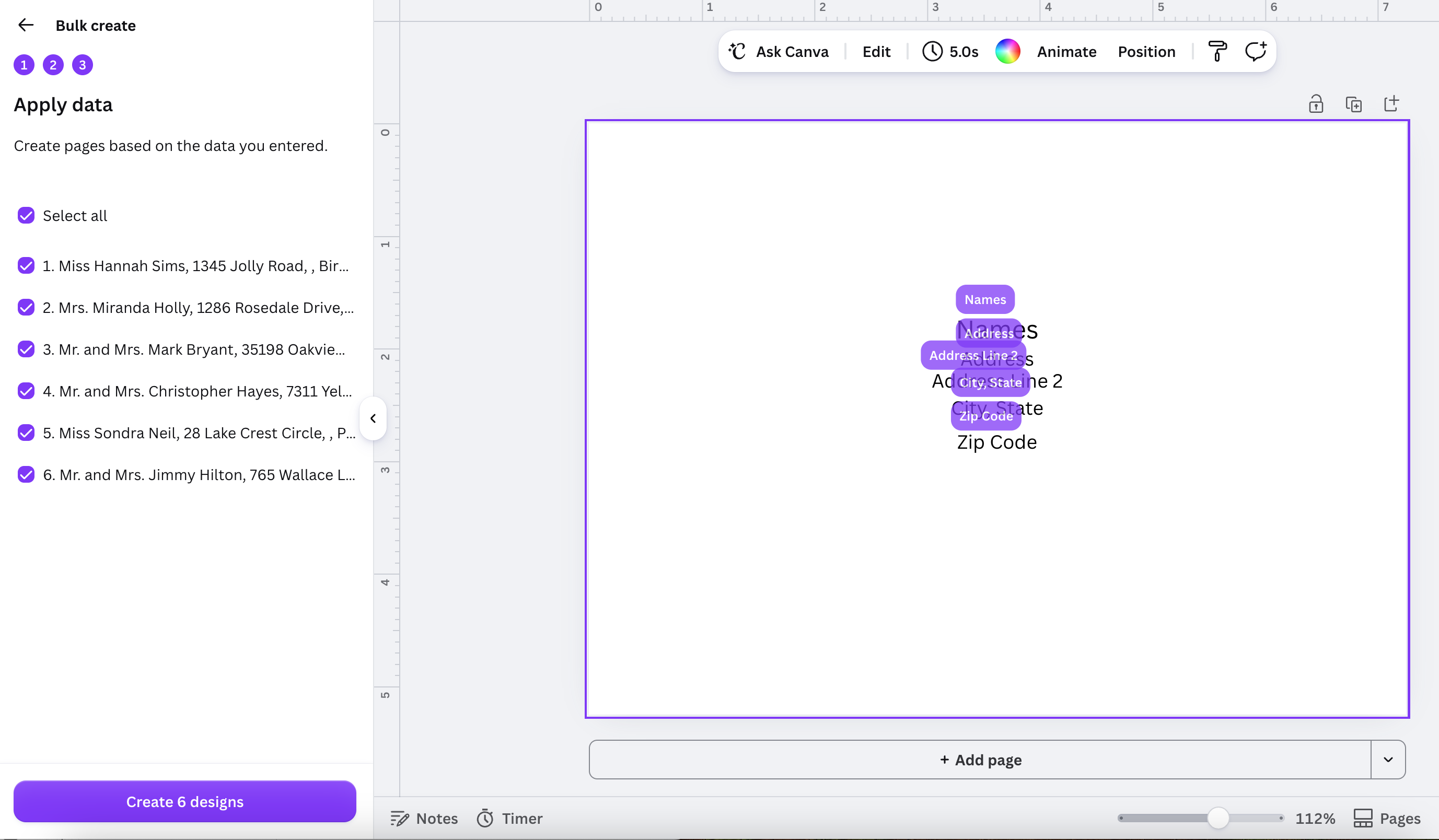
- Use Canva’s bulk create / data merge feature
- Apply your address fields to your design
- Generate pages from your spreadsheet
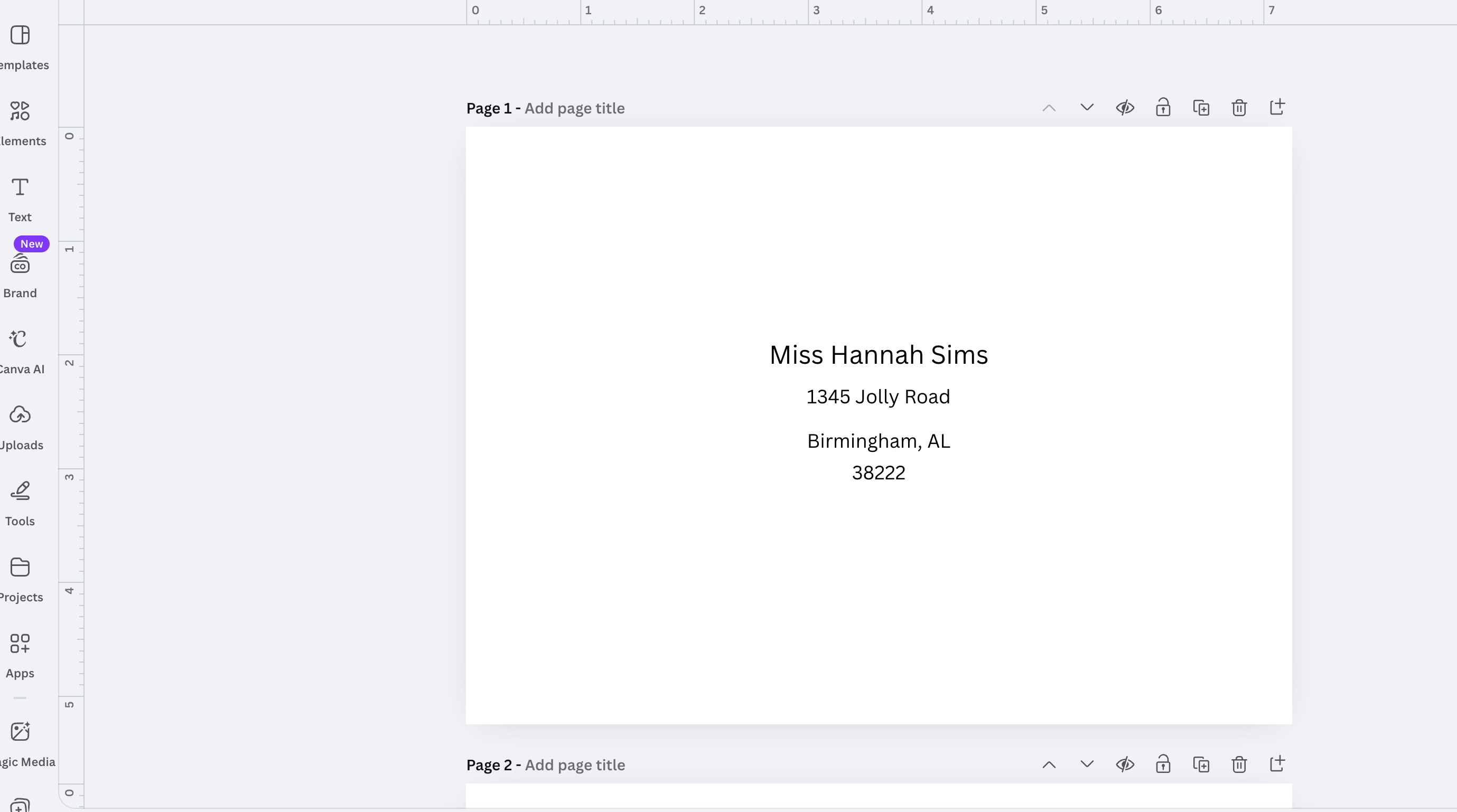
Final File Checklist:
Once your file is exported as a Print-ready PDF, confirm the following:
- One address per page
- All pages are included
- No missing or misaligned text. All text and artwork is within the printable area of the envelope
Before submitting your order, we recommend reviewing the final PDF page by page to confirm that all addresses appear correctly and that the placement, spacing, and formatting match your intended design. A well-prepared file can help avoid delays and produce the best possible print results for your envelopes.
Related Articles:
Was this article helpful?
That’s Great!
Thank you for your feedback
Sorry! We couldn't be helpful
Thank you for your feedback
Feedback sent
We appreciate your effort and will try to fix the article