Gatefold cards are scored with two parallel folds that open from the center that is similar to two doors meeting in the middle. Each panel should be designed to align seamlessly across the folds. Proper file setup ensures your gatefold cards print and fold accurately. Follow these steps to prepare your design for production.
File Dimensions
The product type you select for your order will be your final folded size. Your print-ready file should be flat and unfolded, and it must include a 0.125-inch bleed area on all sides beyond the trim line.
Example:
For a 5” x 7” gatefold card (A7), your file setup should be:
Cut Size: 5” x 14” (unfolded, three panels)
Bleed Size: 5.25” x 14.25”
or
Cut Size: 7” x 10” (unfolded, three panels)
Bleed Size: 7.25” x 10.25”
If you're planning to include an insert card inside an A7 gatefold, a standard 5" × 7" card will not fit, since both pieces have the same finished dimensions. Choose a smaller card size to ensure it fits properly inside the gatefold.
Front and Back Files
When uploading a PDF that includes both front and back artwork in one file:
Page 1: Front File – the outside artwork, including both front panels and the back of the center panel
Page 2: Back File – the inside artwork, visible when the card is opened fully
The Front File should include the exterior design across all panels.
The Back File should include the interior message or design, laid out as one continuous spread.
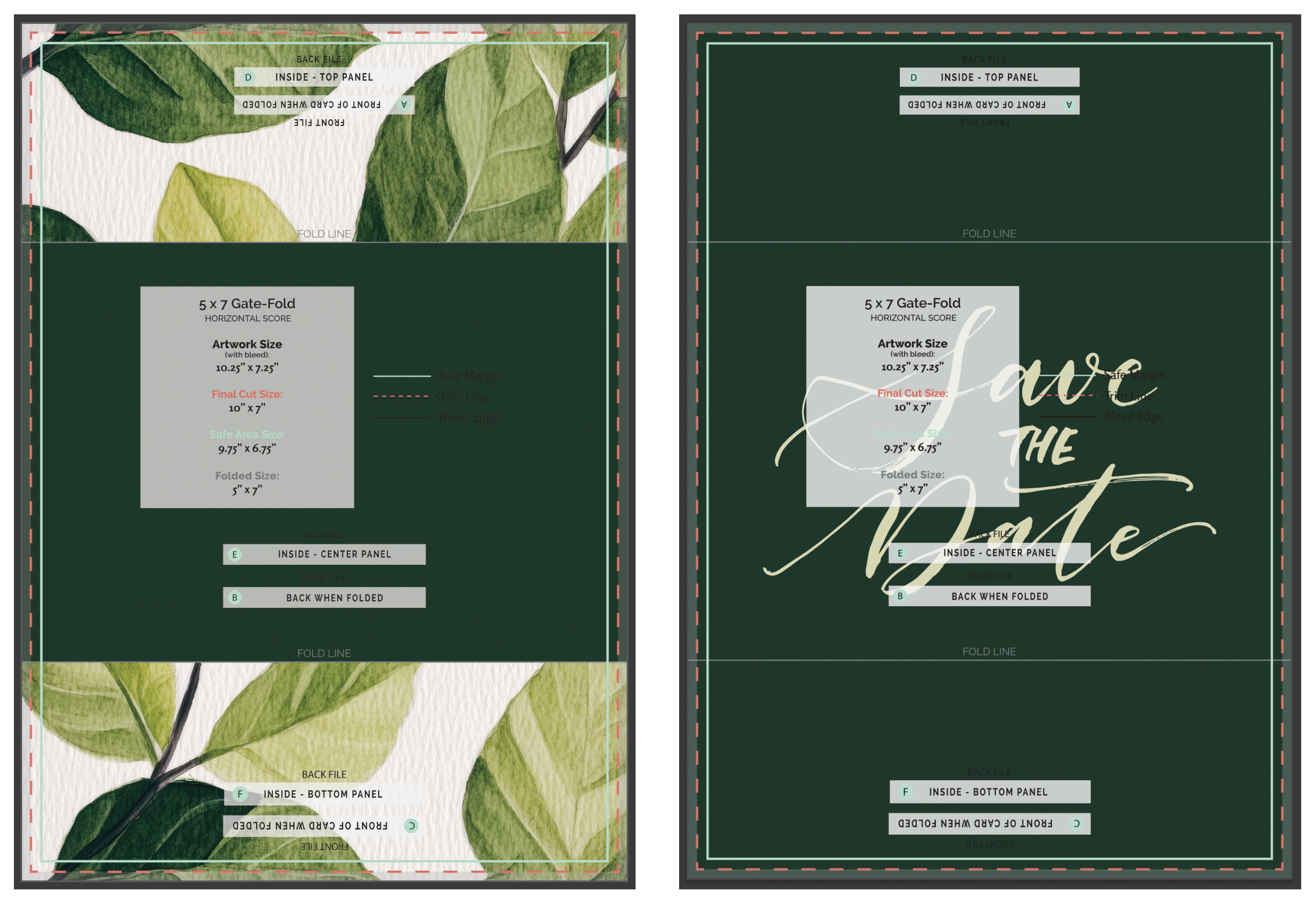
Panel Setup
Gatefold cards typically have three panels:
Left or Bottom Panel – folds inward from the left side or bottom depending on the orientation
Right or Top Panel – folds inward from the right side or top depending on the orientation
Center Panel – remains stationary and is visible when the card is opened
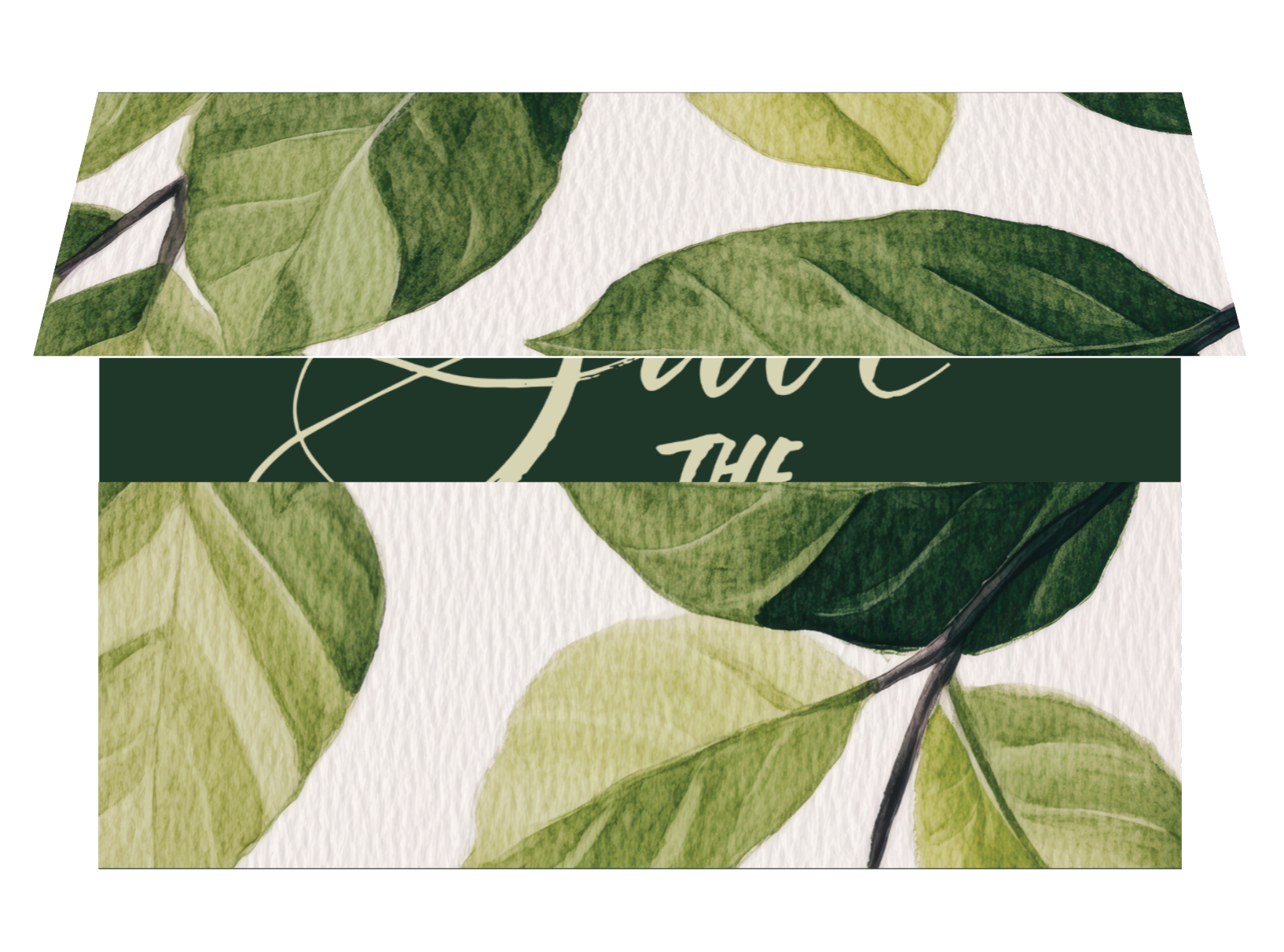
Gatefold cards are incredibly difficult to line up perfectly on the front, so we recommend any artwork be loosely connected so that a slight shift on one side or the other will not impact the overall look of the design. To ensure accurate folding, keep important text and design elements at least 0.25 inches away from the fold lines on both sides.
The artwork should mirror itself in the bleed edge. Check out our Mirrored Gatefold Panels article for detailed instructions.
Our templates are a big help with formatting gatefolds cards.
If ordering a gatefold with a blank front and printing on the inside, you will need to order a 4|4 and upload a blank front file.
For standard-sized gatefold cards, you do not need to include score marks. These are applied automatically.
Orientation
You can set up your gatefold card to be scored either vertically or horizontally.
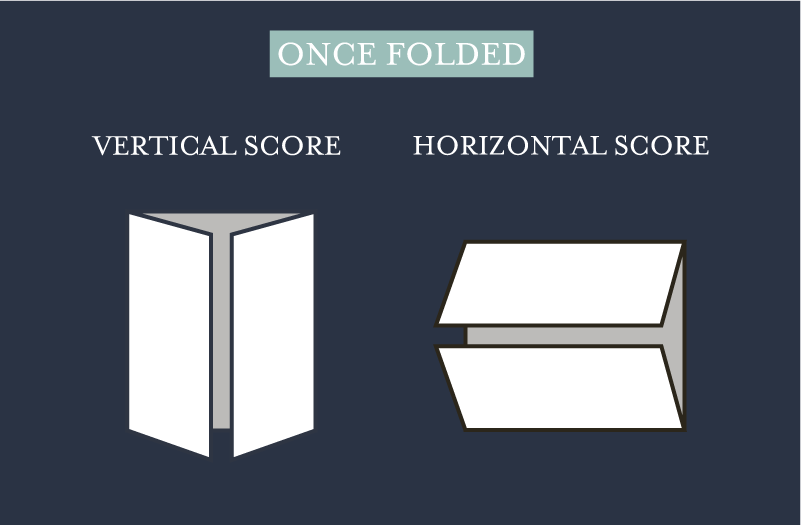
Note: The back file panels for a horizontally scored gatefold should be rotated 180° to appear upside down. This is due to us printing with the industry standard of printing head-to-head.
Related Articles:
Was this article helpful?
That’s Great!
Thank you for your feedback
Sorry! We couldn't be helpful
Thank you for your feedback
Feedback sent
We appreciate your effort and will try to fix the article