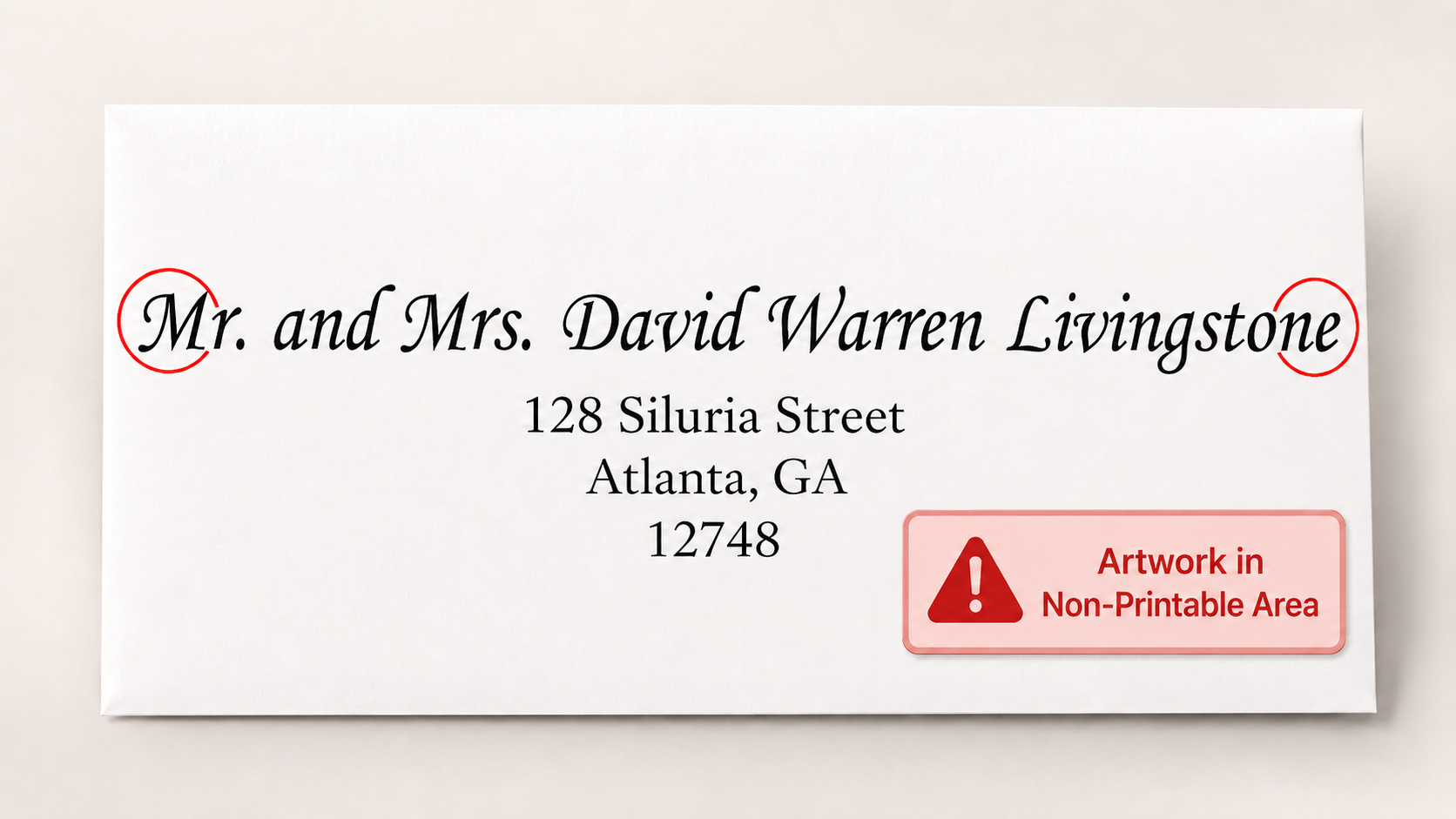
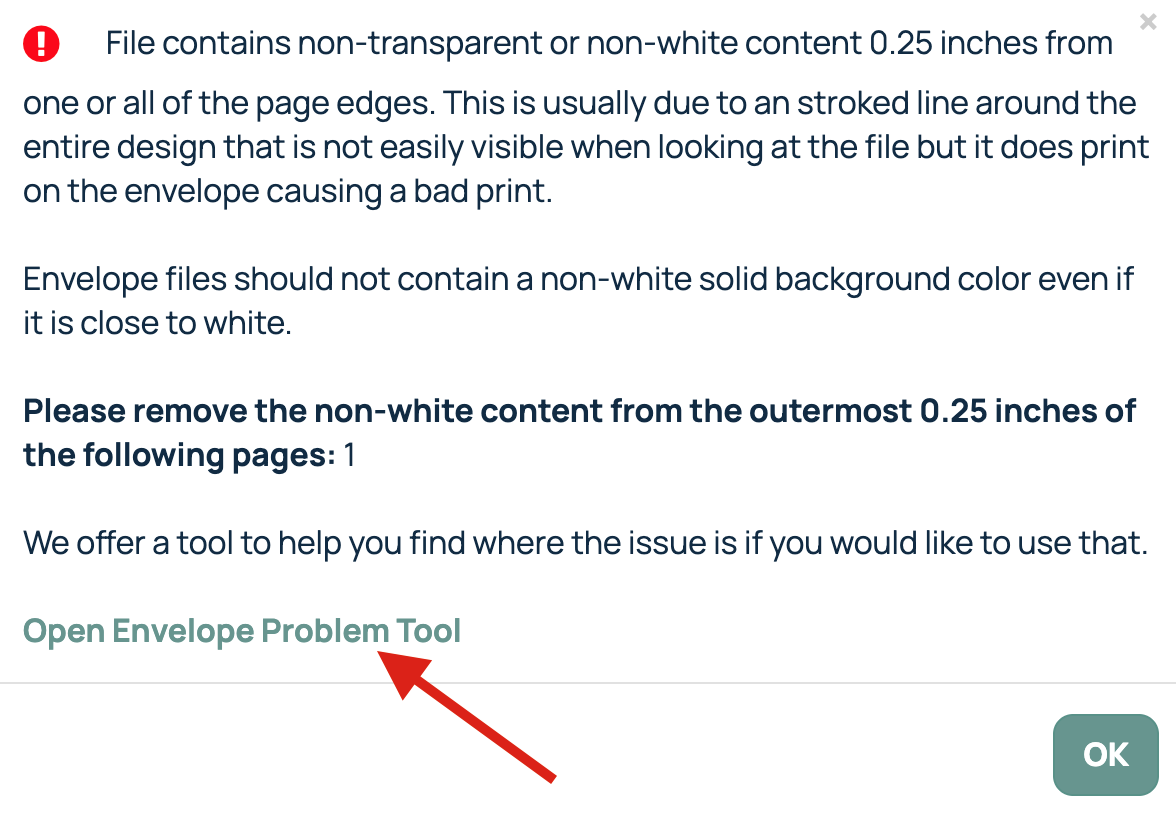
When ordering printed envelopes, you may encounter the following error message:
"File contains non-transparent or non-white content 0.25 inches from one or all page edges."
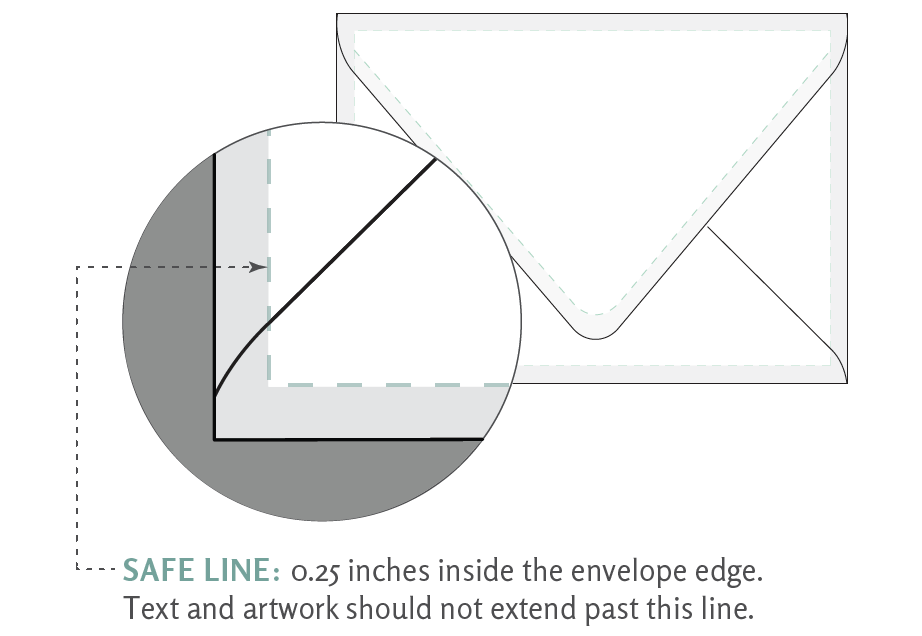
This message appears because we are unable to print all the way to the edge of an envelope. Envelopes have a non-printable area of 0.25 inches around all outer edges, as well as 0.25 inches around the edge of the flap. To avoid this error, make sure all text, graphics, and other artwork remain within the printable area.
For example, if a recipient's name or address extends too close to the edge of the envelope, the file may be rejected by the ordering portal.

When this happens, an error message will appear to alert you to the issue. If you're unsure what is causing the error, click Open Envelope Problem Tool. You can then upload the file and select Analyze PDF to generate a preview highlighting the areas that fall within the non-printable area.
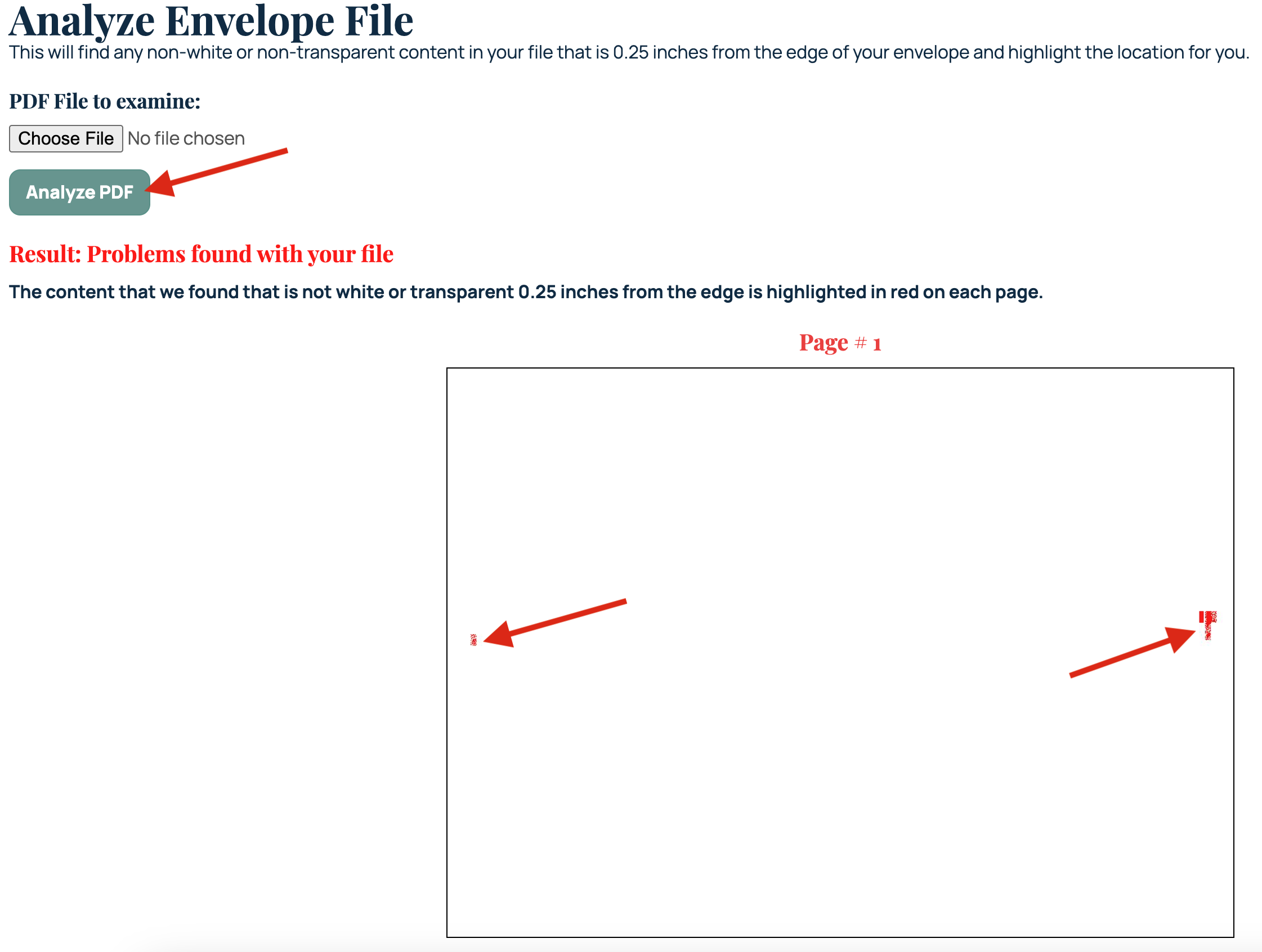
Once you've identified the issue, update your file to move any content within the printable area and upload the revised file to the portal.
Related Articles:
Was this article helpful?
That’s Great!
Thank you for your feedback
Sorry! We couldn't be helpful
Thank you for your feedback
Feedback sent
We appreciate your effort and will try to fix the article