The checkout page is where you review your shipping details, select a shipping method, choose standard or rush production, and submit your order.
This article explains the main fields and options you may see when submitting your order.
Shipping Address Information

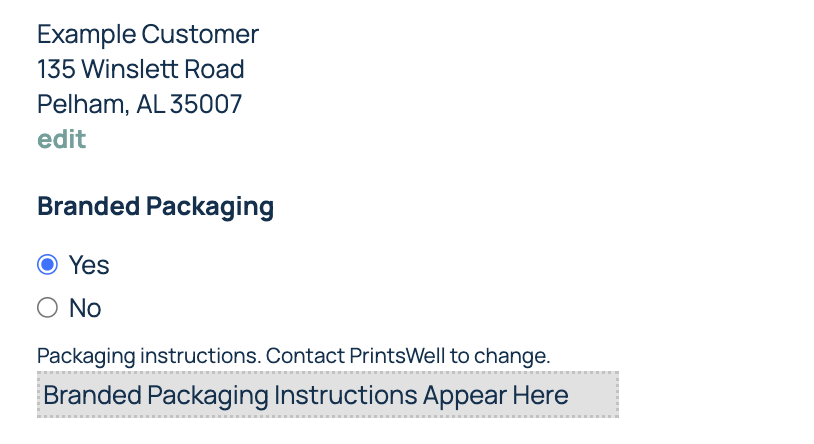
Your checkout page will show the default shipping address currently selected for the order.
If you want to ship the order to a one-time address, such as directly to your customer, select Custom ShipTo Address from the address drop-down and enter the shipping details in the pop-up window that appears. You can also add other shipping addresses frequently used across orders to this drop down under the Manage Account tab at the top of your screen.
Review the shipping address carefully before submitting your order. Once the order is processed for shipping, the shipping address can no longer be changed from the order.
PrintsWell orders ship blind, which means PrintsWell branding is not used on the package. If you have branded packaging set up on your account, your branding instructions will appear on this screen once a custom address has been entered.
Add an Order Reference
The PO/Customer field lets you enter a reference name for your order.
This can help you identify the order later in your account, especially if you are working on multiple customer orders at the same time. This reference is for your records and will appear with the order in your account.

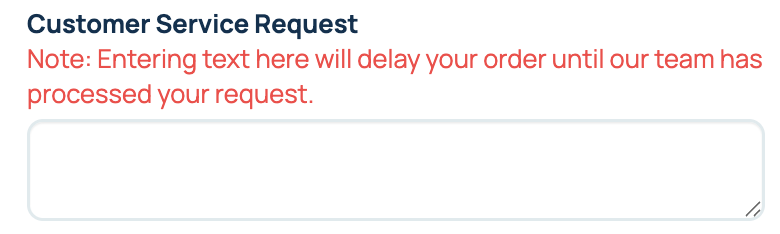
Customer Service Request
The Customer Service Request box is for order-specific requests that need to be reviewed by our team before the order moves forward.
Use this box only when your order requires special attention, such as:
- Score locations on a custom folded card
- A quantity that is not available from the dropdown
- A specific note needed to complete the order correctly
Adding a customer service request may hold your order for review before it can move into production.
Choose a Shipping Method
Select the shipping method you would like to use for the order. Shipping options are categorized by Recommended, Expedited, and Economy. Each option will show the shipping cost and an estimated delivery date. Delivery dates are estimates and are not guaranteed.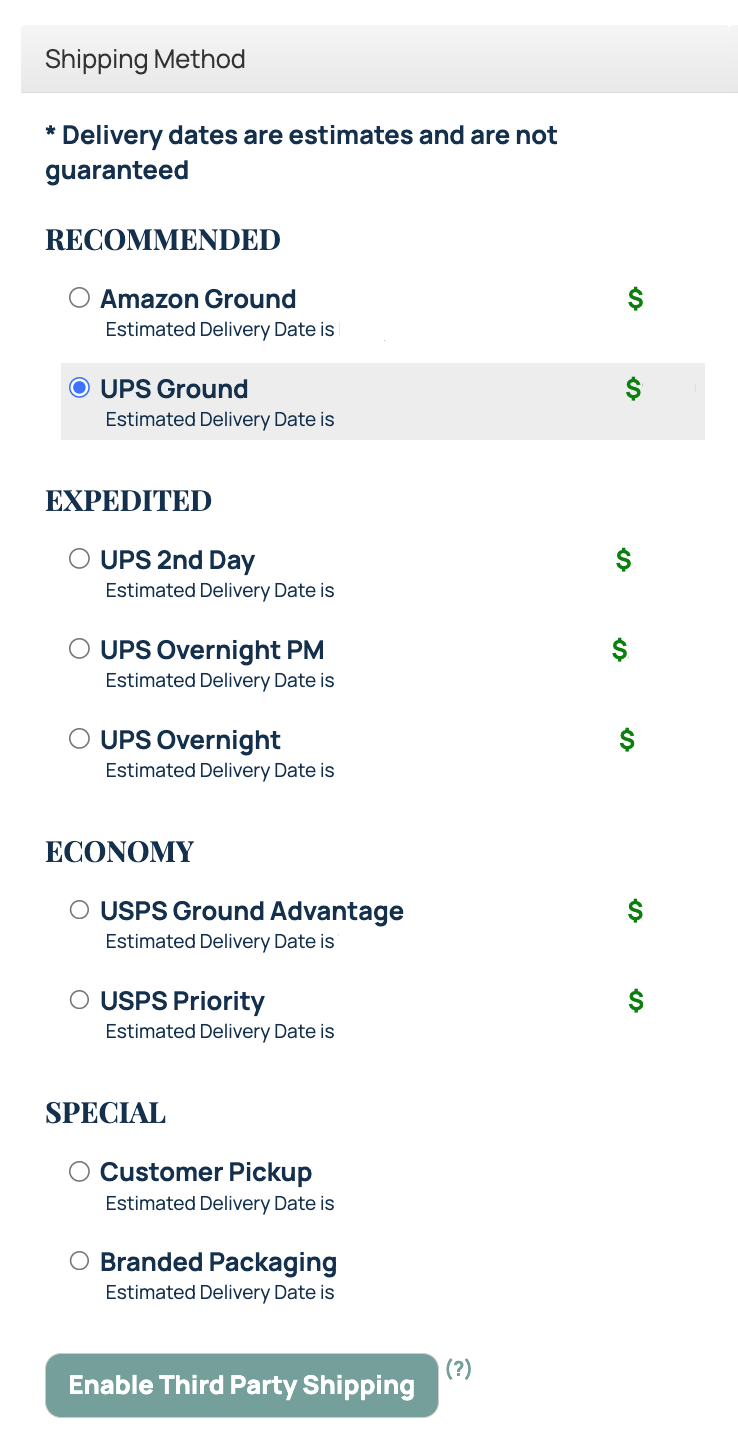
Delivery dates are estimates and are not guaranteed. Actual delivery timing may vary once the package is with the carrier. For information on 3rd Party Shipping, check out our Shipping Options Article.
Review Estimated Shipping Dates
The checkout page may show estimated delivery dates under each shipping method and estimated ship dates under the production options.
These dates are meant to help you compare options before submitting your order.
Shipping speed and production speed are separate choices. Choosing a faster shipping method does not shorten production time.
Submit Your Order
Once your order details, shipping address, and shipping method are correct, click the submit button for the production option you want. Submit Rush Order is not an option for all order types.
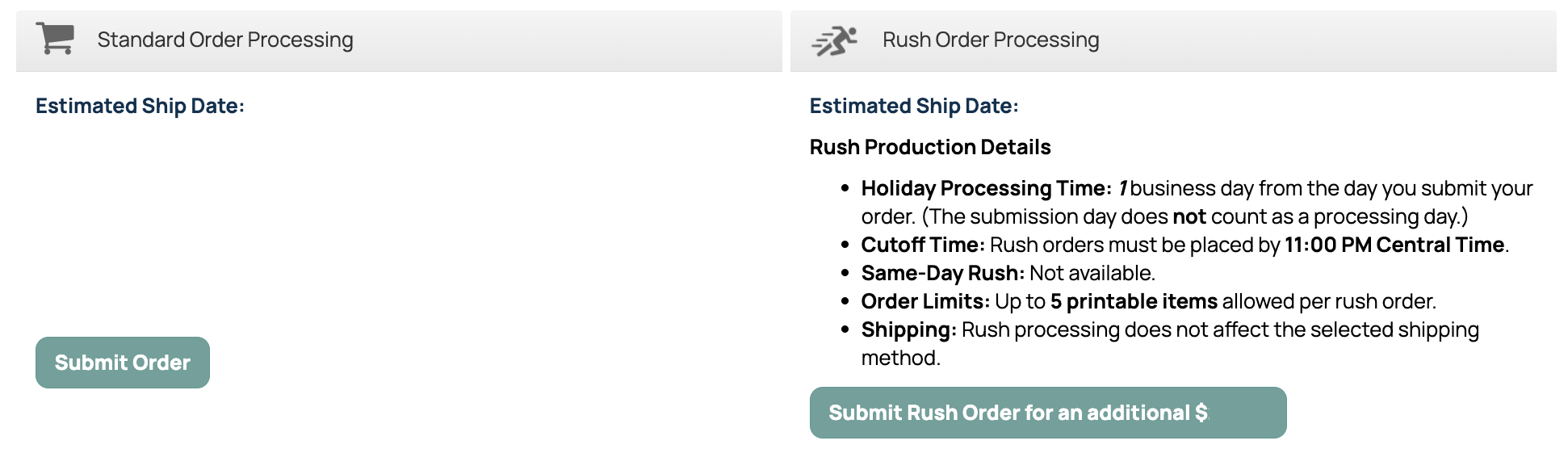
After the order is submitted, it will appear in your Order History.
Important Notes
- Delivery dates are estimates and are not guaranteed.
- Shipping speed and production speed are separate.
- Customer service requests may hold your order for review.
- Review one-time shipping addresses carefully before submitting.
- Rush production is only available when shown at checkout.
Related Articles
Was this article helpful?
That’s Great!
Thank you for your feedback
Sorry! We couldn't be helpful
Thank you for your feedback
Feedback sent
We appreciate your effort and will try to fix the article