Uploading your artwork is an exciting step, and our Ordering Preview Tool is designed to help you feel more confident before placing your order. While it is not a digital proof, it can be a valuable resource for catching common file setup issues and understanding how your design may appear on your selected product and paper type.
Check Your File Orientation
One of the most helpful uses of the preview tool is verifying file orientation. This is especially important for folded cards and gift tags, where front, back, and inside panels need to appear in the correct order.
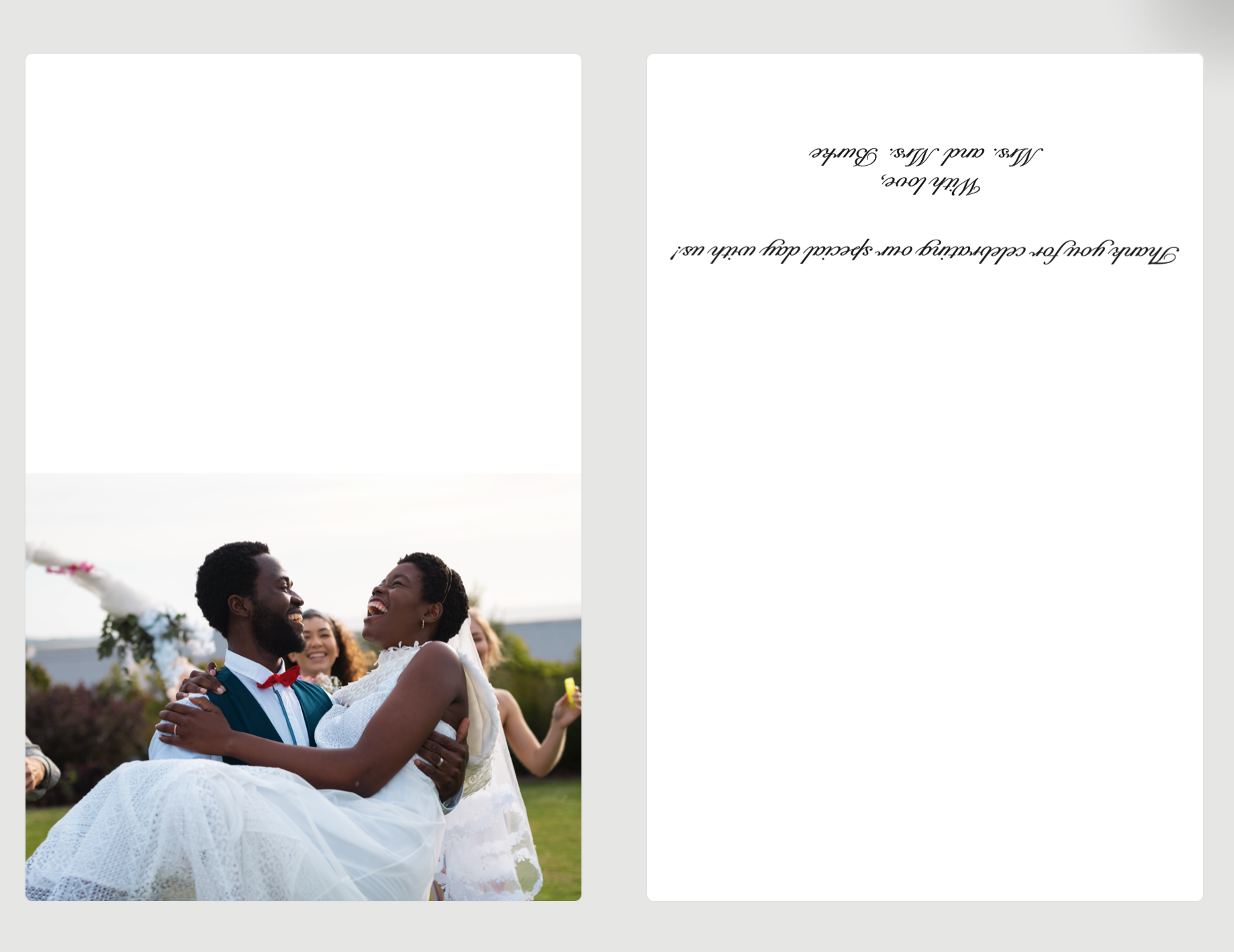
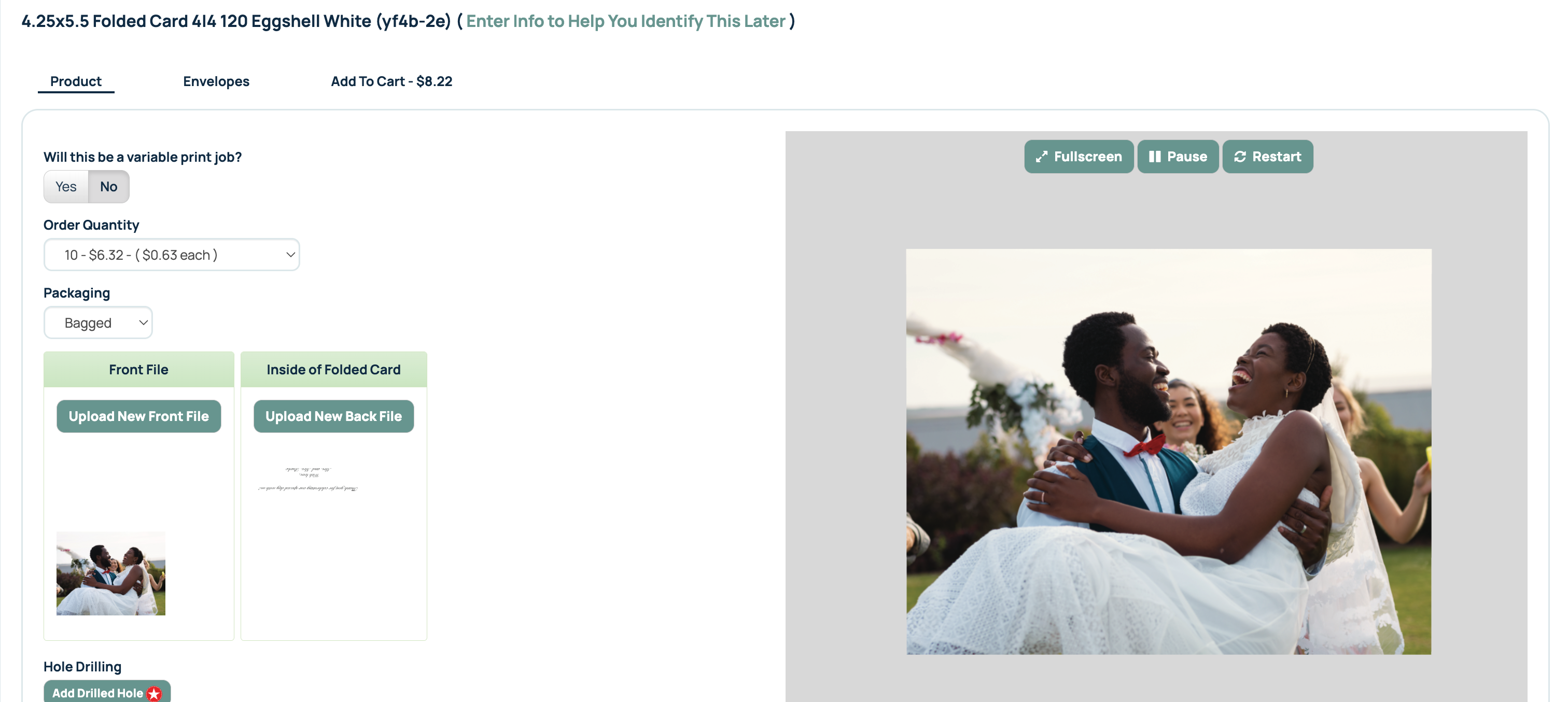
In this example, the inside appears upside down. This is because the file orientation of the uploaded file is not correct. Previewing your card here and uploading a corrected file will save you invaluable print and production time and costs!
When we upload the back file or inside file of the card correctly (rotated 90º), the preview then shows the inside of the card oriented correctly on the preview image.
Preview Image now shows correctly:
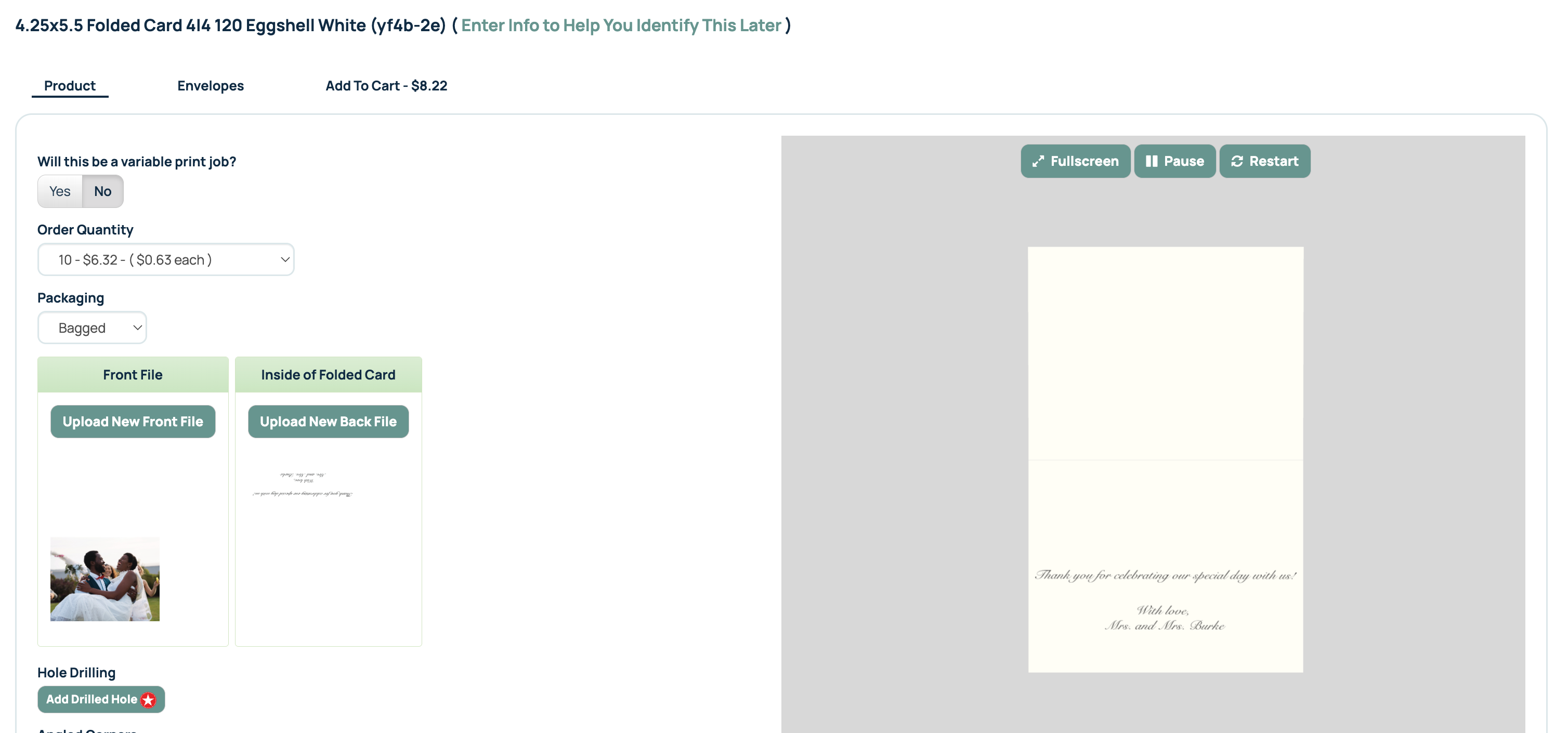
Taking a moment to review the preview can help prevent accidental upside-down artwork, reversed panels, or incorrect page placement before your order is submitted. If something looks incorrect in the preview, stop and review your file setup before ordering.
Preview Ink on Dark Papers and Envelopes
The preview tool can also provide a general representation of how CMYK ink may appear on darker paper stocks and envelopes. This can be useful when evaluating readability, contrast, and overall design impact.
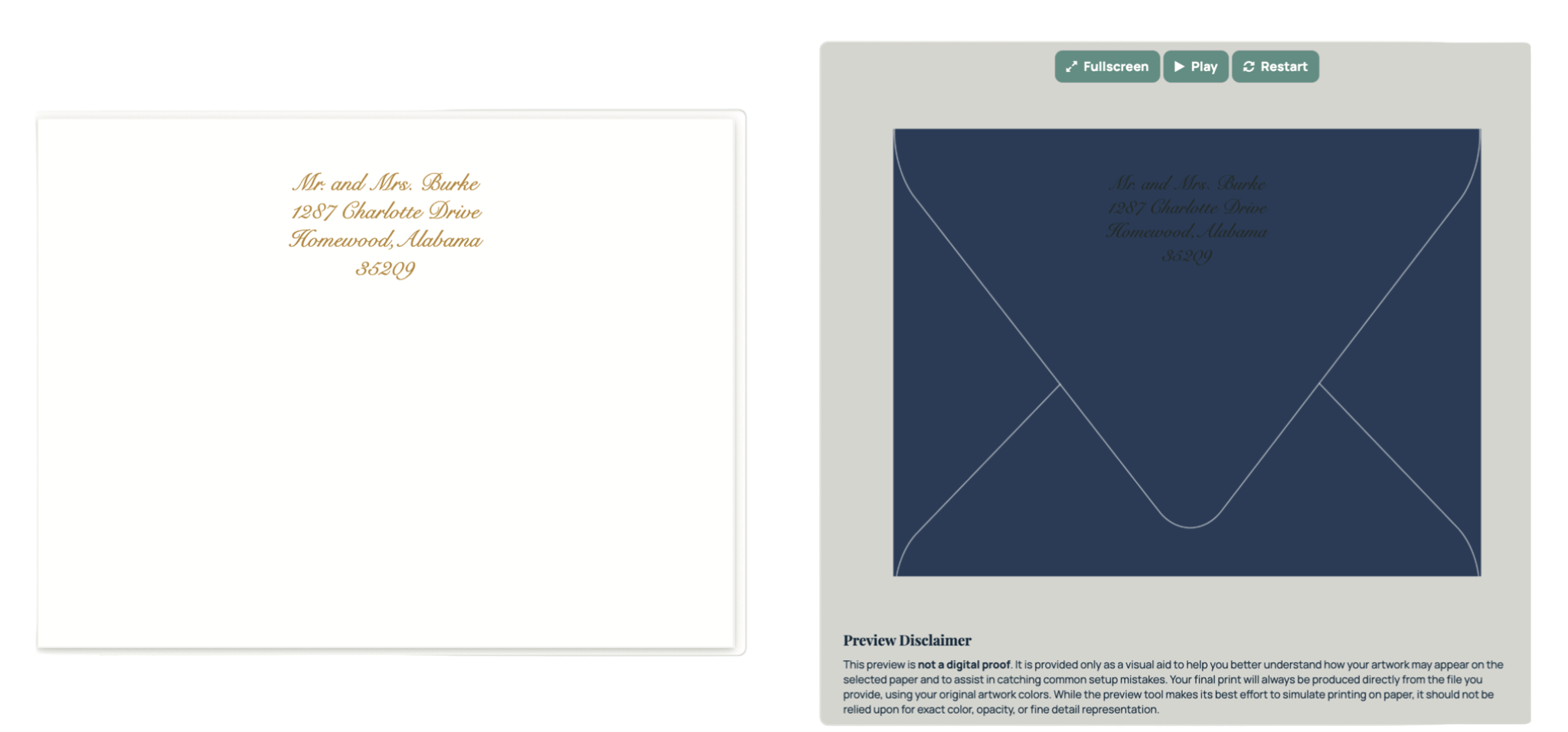
If your design appears difficult to read, lacks contrast, or does not display as expected in the preview, we recommend revising your artwork before placing your order.
If It Doesn't Look Right, Don't Order It
The Ordering Preview Tool is one of your last opportunities to catch common file setup mistakes before production. If your artwork appears upside down, out of order, difficult to read, or otherwise incorrect in the preview, do not proceed with the order until the issue has been corrected.
While the preview is not a proof, it can often help identify problems that may affect the final printed piece. Taking a few extra moments to review your file can save time, reduce delays, and help ensure you receive the results you expect.
Important Preview Disclaimer
The Ordering Preview Tool is provided as a visual aid to help identify common file setup issues and give a general idea of how your artwork may appear on your selected paper.
Please note that this preview is not a digital proof. Your order will print directly from the file you upload using your original artwork colors. While the tool attempts to simulate the appearance of printed ink on paper, it should not be relied upon for exact color, opacity, or fine-detail accuracy.
Related Article:
Was this article helpful?
That’s Great!
Thank you for your feedback
Sorry! We couldn't be helpful
Thank you for your feedback
Feedback sent
We appreciate your effort and will try to fix the article