When an order is submitted, there is a 20 minute window of time in which an order can be cancelled. In the ordering portal, under the Order History tab, you may see a Cancel button next to the order. If you press Cancel, the order moves back to the Orders Not Submitted tab under a new order number where any edits can be made.
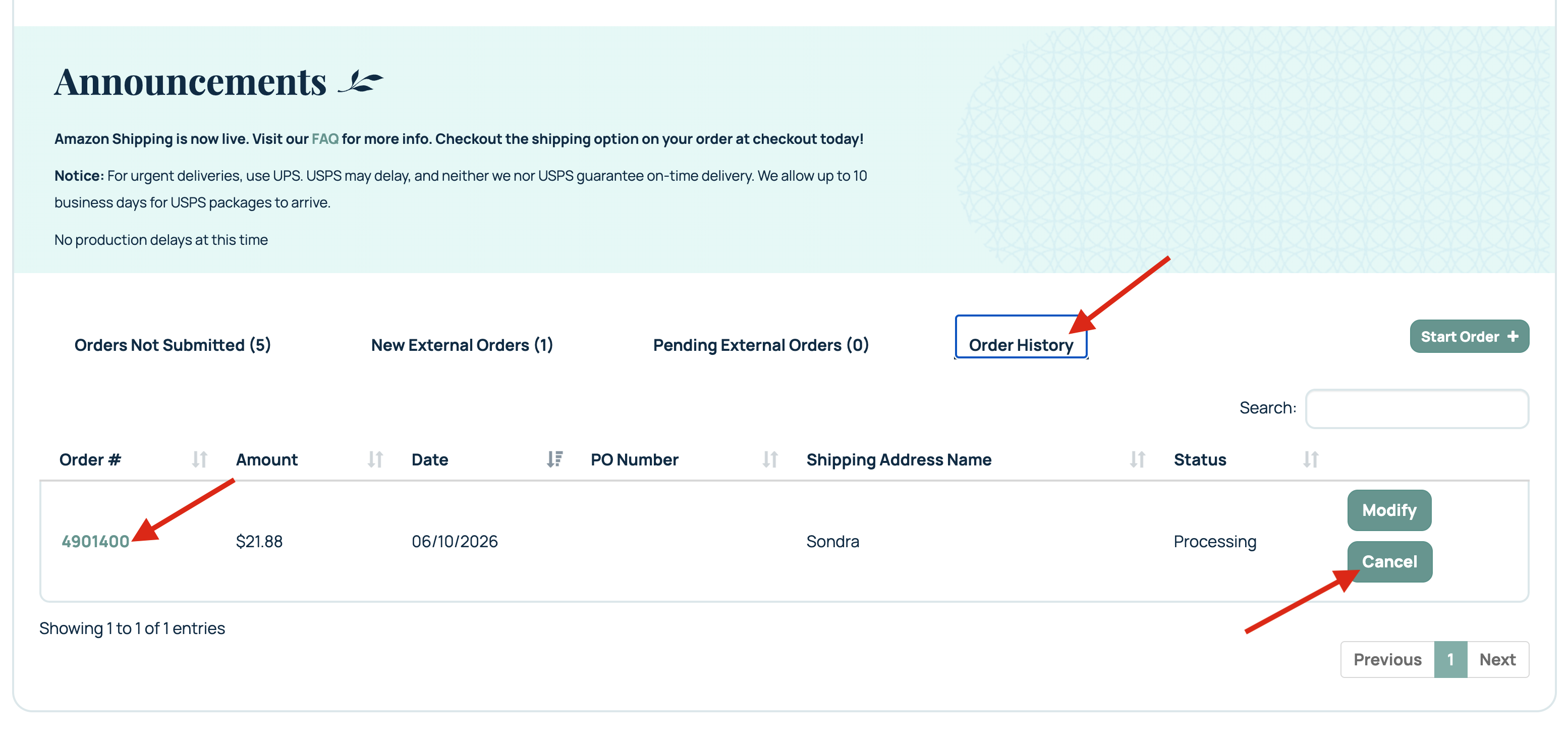
If the cancel button is not shown next to the order, please consider the order status as printed. You can call our customer success team at 205.588.4171 or create a ticket to discuss other potential options such as cancelling shipping or adding a new item to the order.
Related Articles:
Was this article helpful?
That’s Great!
Thank you for your feedback
Sorry! We couldn't be helpful
Thank you for your feedback
Feedback sent
We appreciate your effort and will try to fix the article