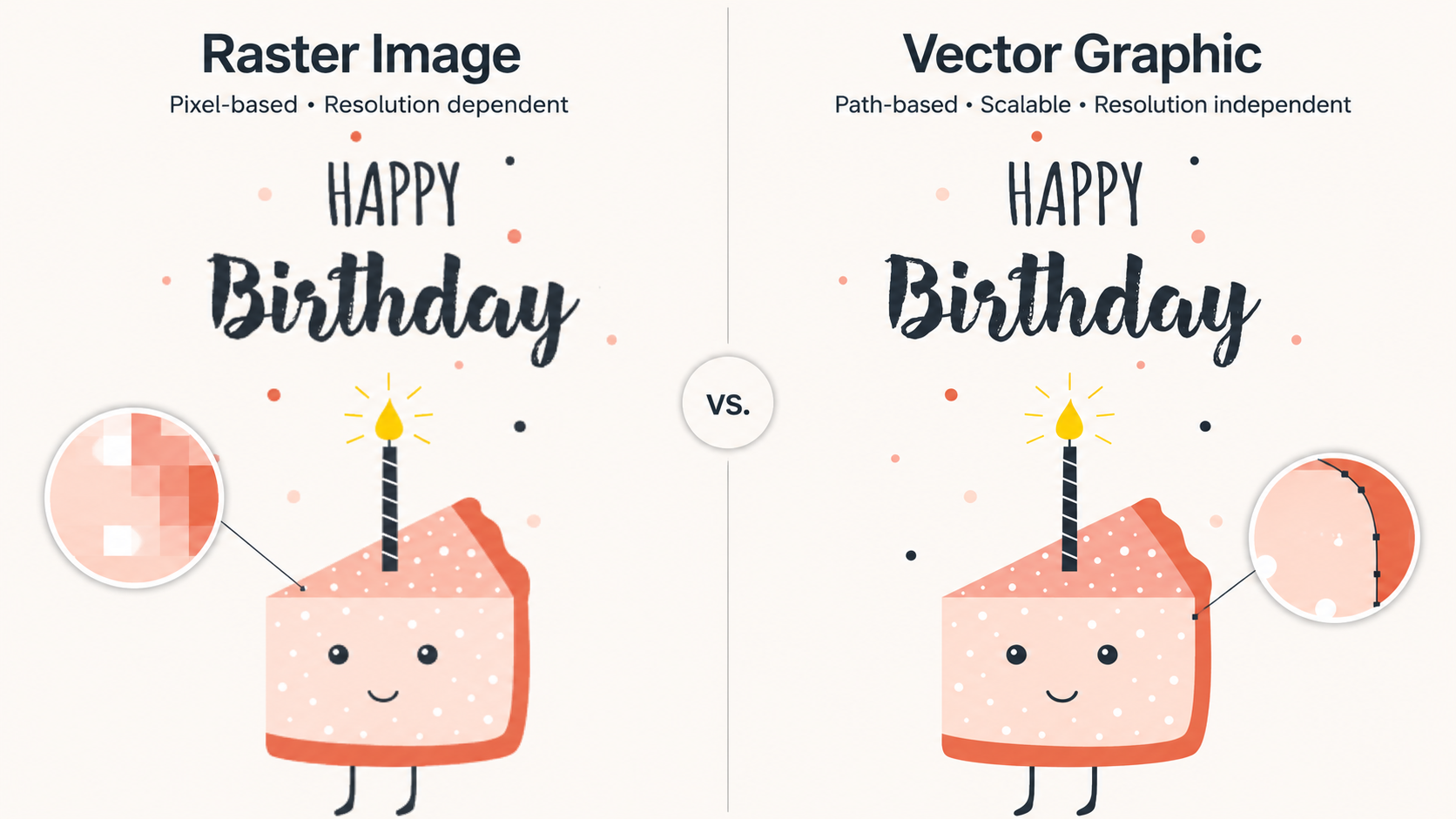
While they can look similar on screen, raster and vector graphics behave very differently when it comes to scaling, editing, and printing.
Here’s a simple breakdown to help you understand how each one works and when to use them.
What is Raster Artwork?
Raster artwork is made up of tiny colored squares called pixels. When viewed together, these pixels form a complete image, like a photograph or a detailed illustration. The more pixels you have, the more detail the image can show.
Raster images are resolution-dependent. That means if you enlarge them too much, the pixels stretch and the image becomes blurry or “pixelated.”
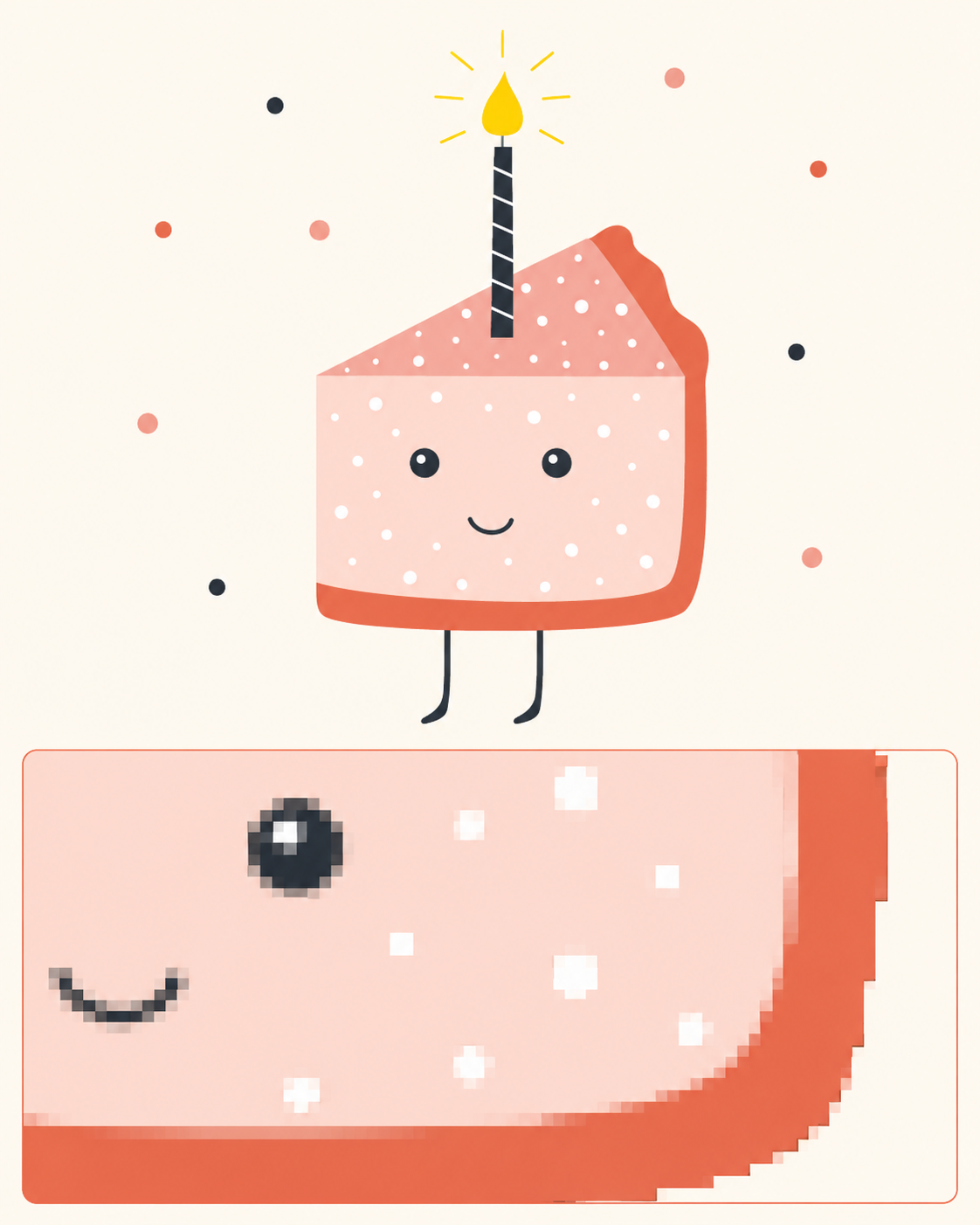
Best For:
- Photographs
- Complex artwork with shading, textures, or gradients
- Digital mockups and web images
What is Vector Artwork?
Vector artwork is built using mathematical paths, points, and curves instead of pixels. These paths define shapes, lines, and colors in a way that can be scaled infinitely without losing quality.
Vector artwork is resolution-independent. You can scale it from a tiny icon to a large banner, and it will stay perfectly sharp.
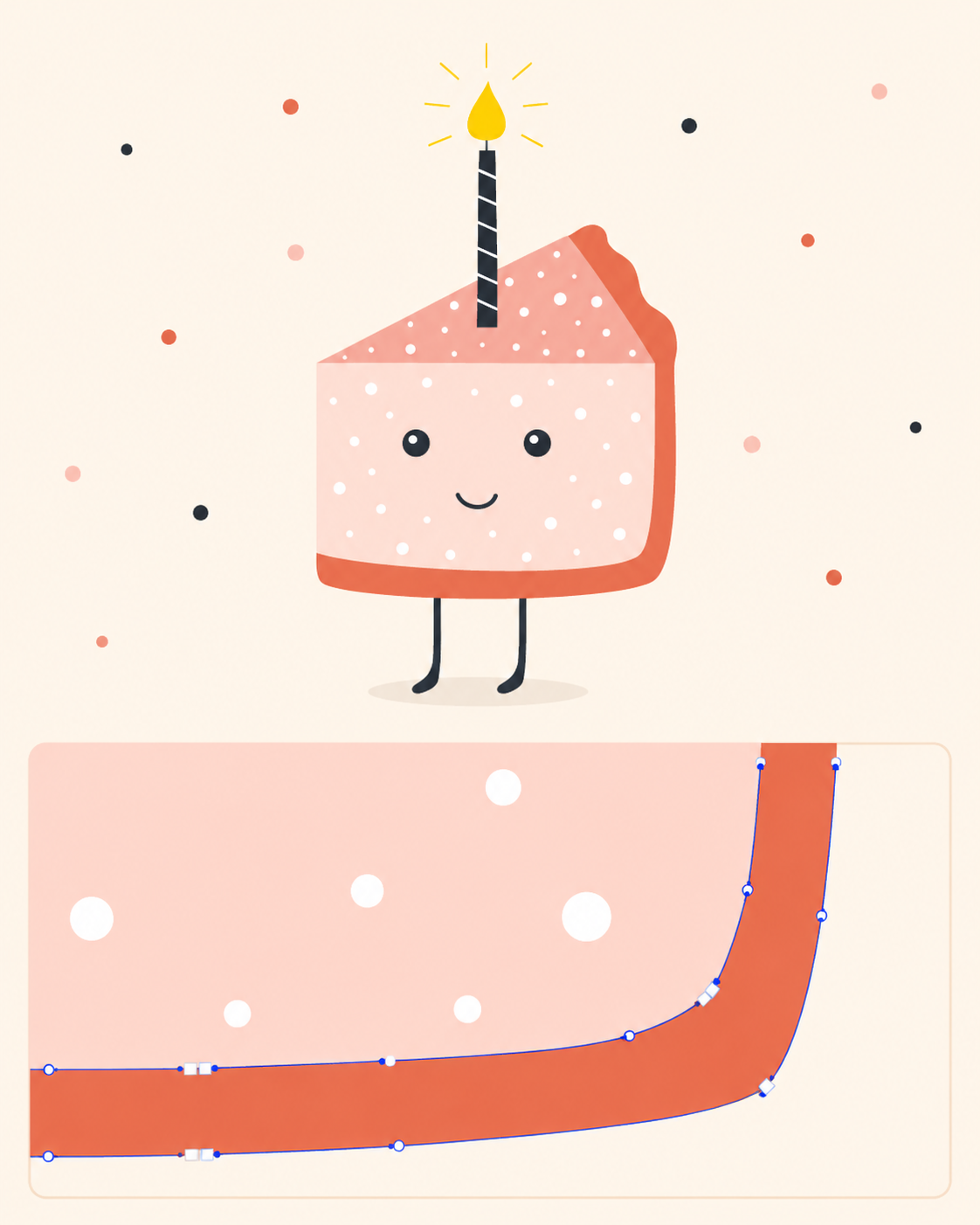
Best For:
- Logos
- Typography
- Line art and illustrations
- Print elements that need clean edges (like foil files or die cuts)
Related Articles:
Was this article helpful?
That’s Great!
Thank you for your feedback
Sorry! We couldn't be helpful
Thank you for your feedback
Feedback sent
We appreciate your effort and will try to fix the article