Overprint is a feature that can be used in some design software programs, most notably in Adobe Illustrator and Adobe InDesign. It is not a feature that is typically turned on from the program startup since it is not required for printing. If used incorrectly, it can create some surprising or unwanted effects on your printed product.
This article will explain how overprint can affect your final printed product.
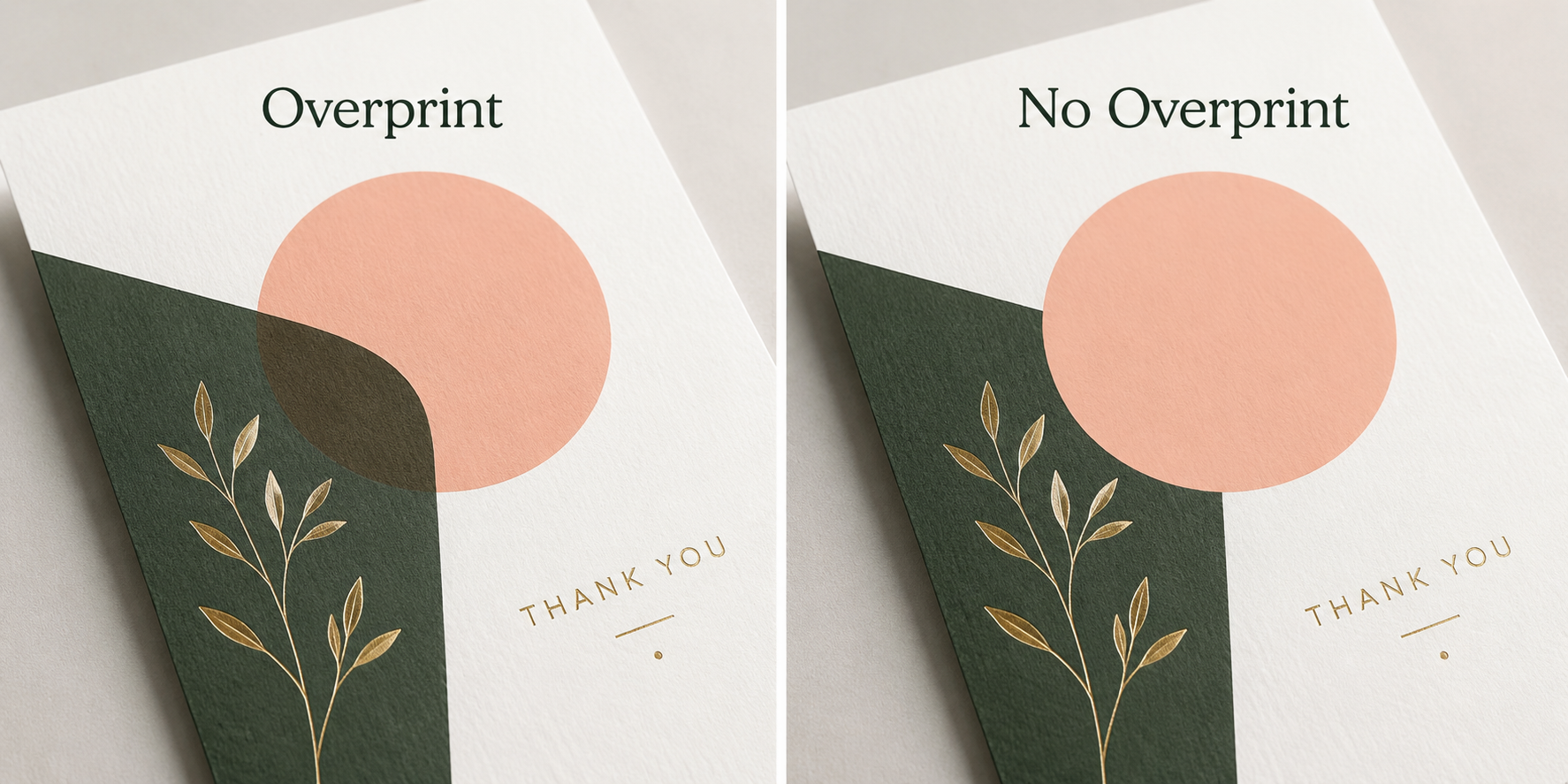
What does overprint do?
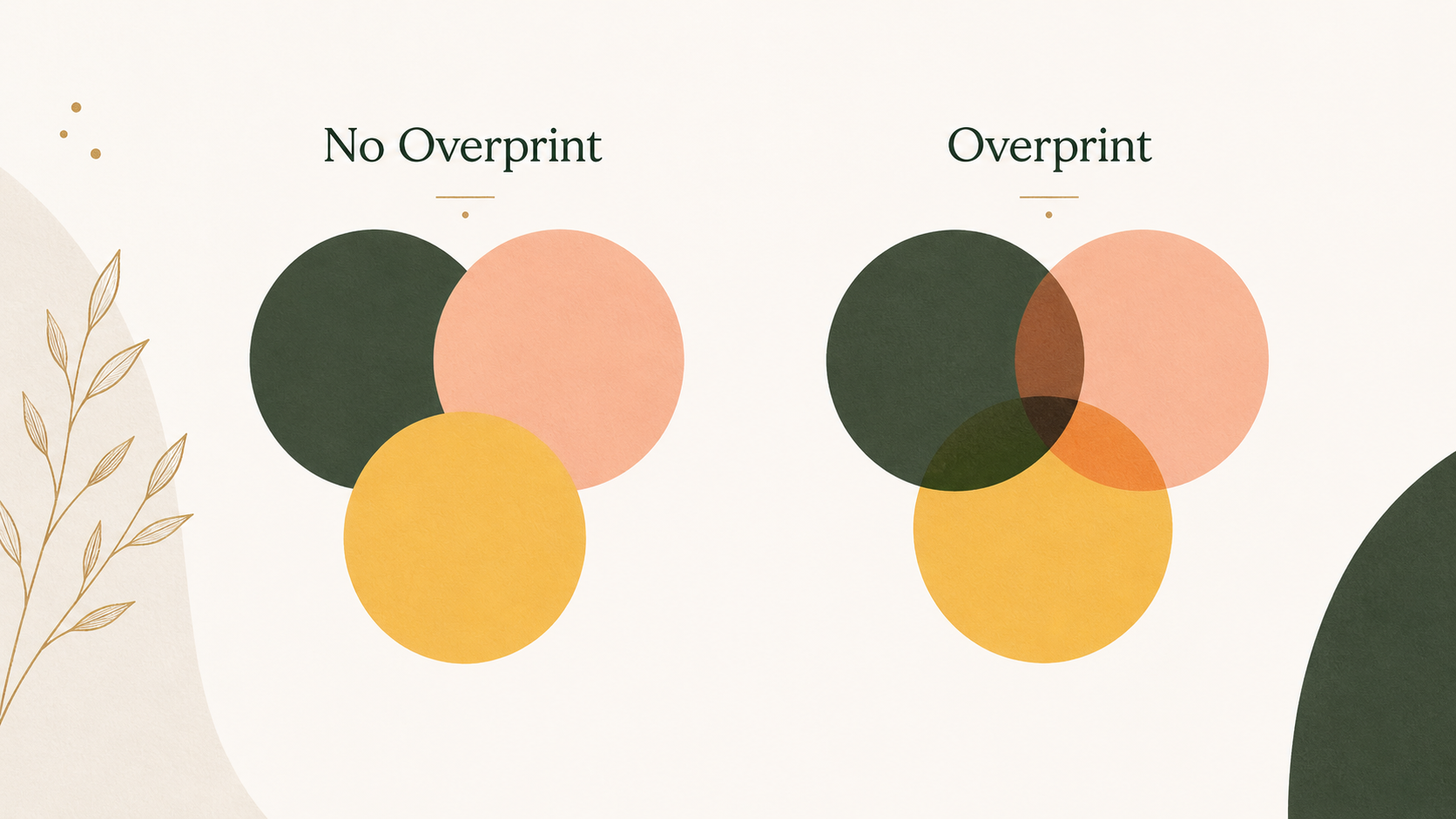
When overprint is on, it means that one object prints on top of another, instead of knocking it out. When creating a print-ready file, you create layers of artwork, where your design elements rest on top of one another. Knockout printing is default behavior for a print-ready PDF, where the underlying color is removed if layered on top of another element.
Why is it an option?
Overprint was created for a handful of specific uses. One of the most common is for black text. Using Overprint for black text can help prevent white gaps between the black text and it's color background in the case of registrations issues. For example:
- Knockout: Blue background with black text → blue is removed behind the text
- Overprint: Black text prints directly on top of the blue background
Overprint can be applied accidentally. If left on, it can cause elements to disappear or print differently than expected.
What can happen to my file if overprint is on?
There are a few issues that can occur if overprint is left on for a file that does not need to be printed with overprint.
- Some color elements can completely disappear
- Colors can blend and mix in unexpected ways
Unless you intentionally set overprint, it’s best to turn it off to avoid unexpected print results.
To check to see if overprint is turned on:
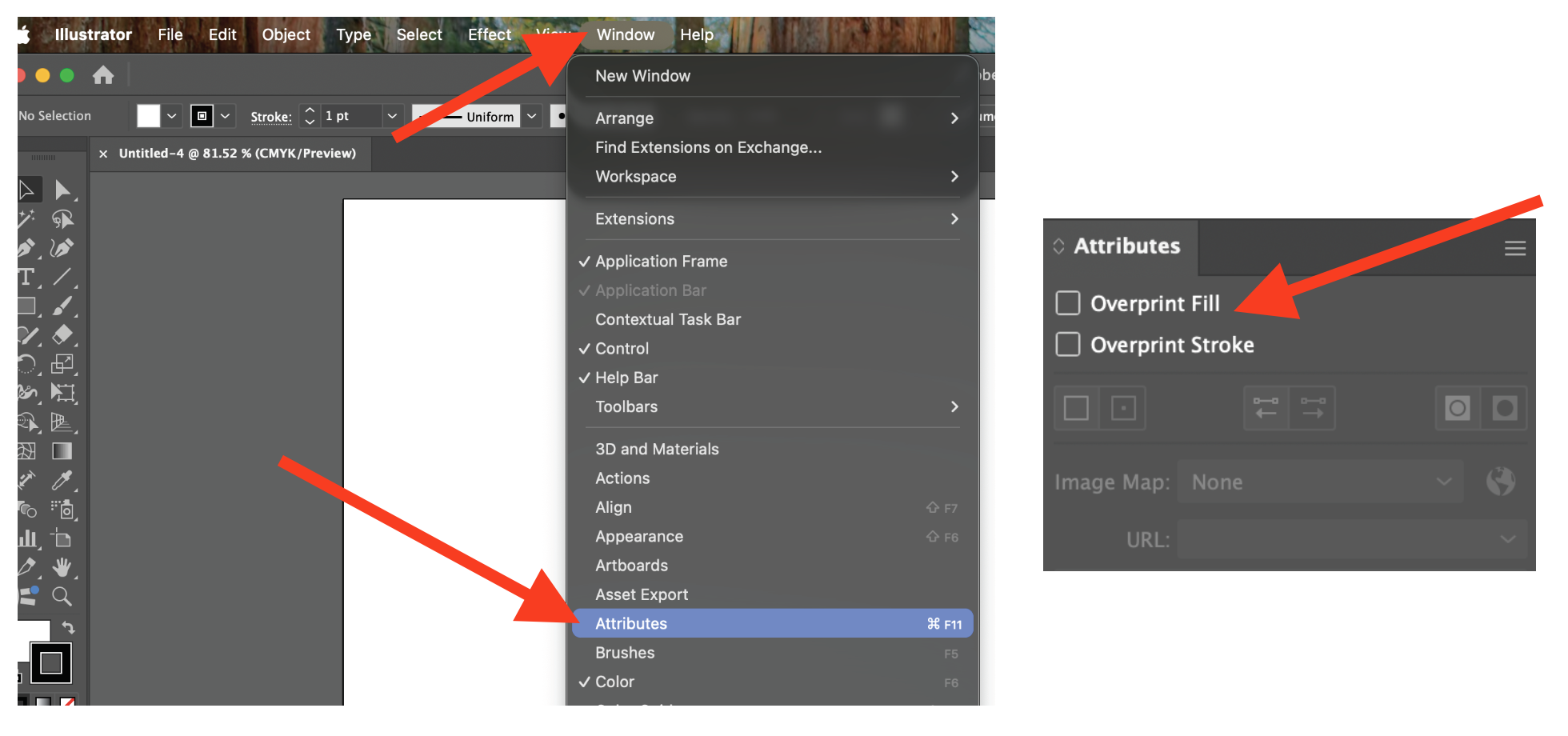
Adobe Illustrator, go to Window->Attributes. From there, you will two boxes "Overprint Fill" and"Overprint Stroke". Select the elements on your file, and make sure the check boxes are not checked.
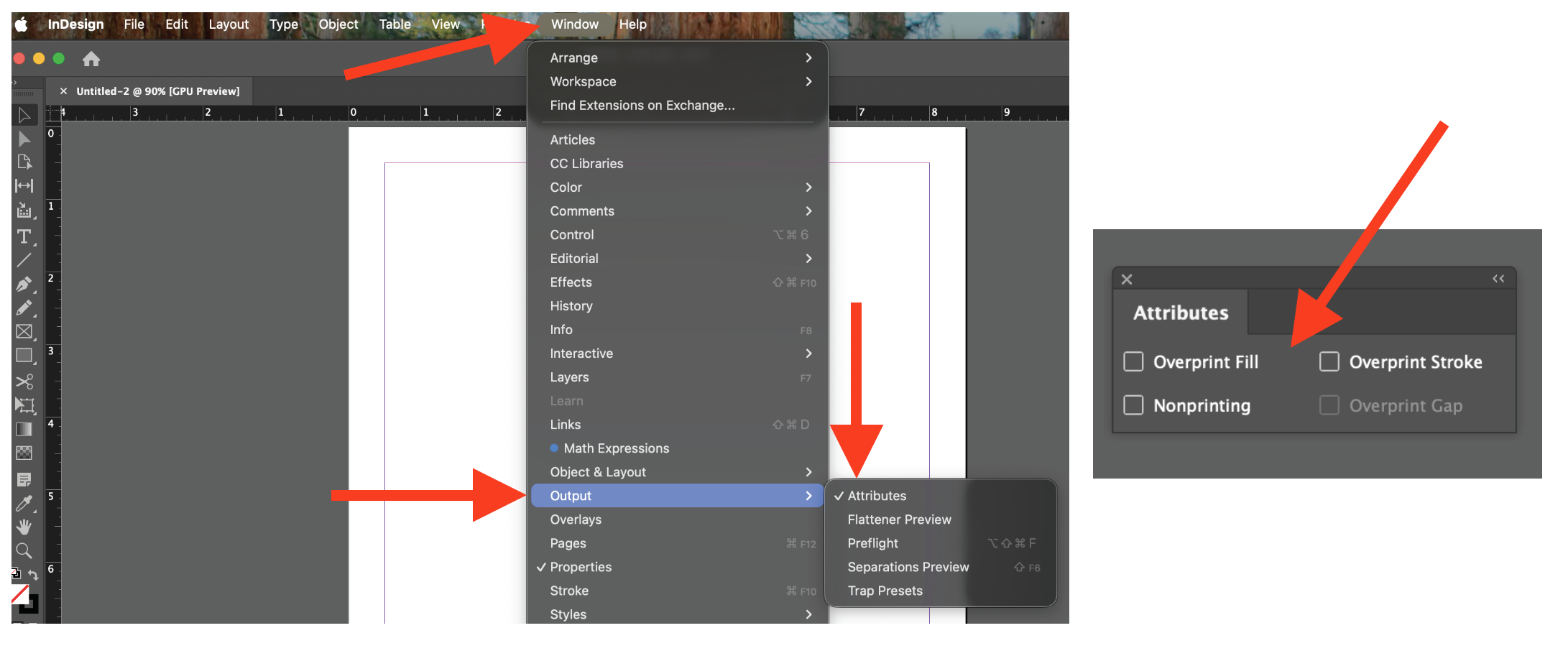
Adobe Indesign, go to Window->Output->Attributes. You will some option, two of them being "Overprint Fill" and"Overprint Stroke". Select the elements on your file, and make sure the check boxes are not checked.
Was this article helpful?
That’s Great!
Thank you for your feedback
Sorry! We couldn't be helpful
Thank you for your feedback
Feedback sent
We appreciate your effort and will try to fix the article