Your account statement shows the current unpaid balance for orders that have shipped from PrintsWell but have not yet been paid. This article explains where to find your account statement and what information it shows.
How to View Your Account Statement
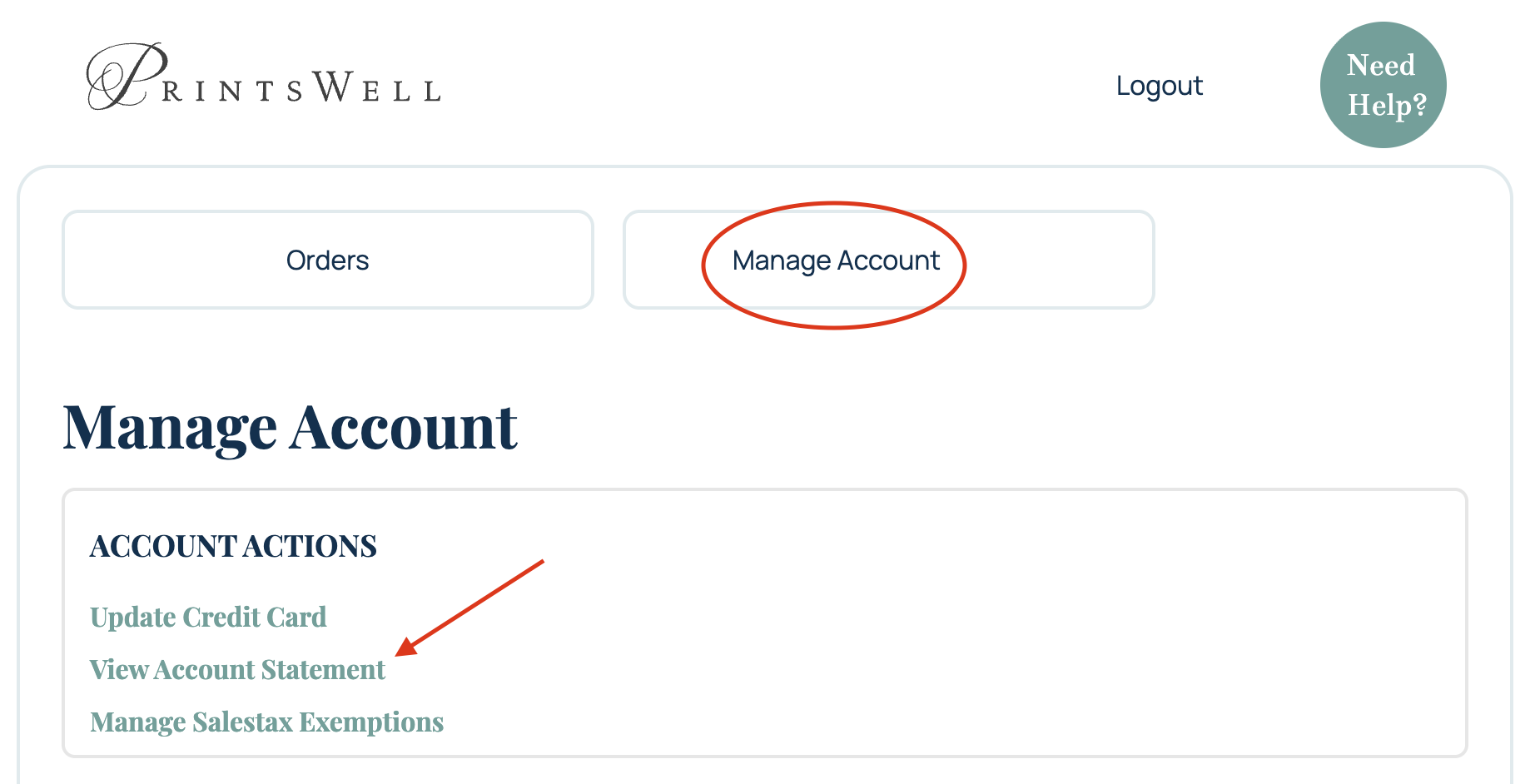
To view your account statement:
- Click Manage Account at the top of your ordering portal.
- Click View Account Statement.
This will open your account statement page.
What Your Account Statement Shows
Your account statement shows your current unpaid account balance in one place.
This balance includes orders that have already shipped from PrintsWell and have not yet been paid. It gives you a simple way to view your total open balance across shipped orders.
Billing Is Handled Automatically
Billing is handled automatically, so the account statement screen is mainly for reference. You can use it to check your current balance, review what is still unpaid, and see your account balance in aggregate.
Important Notes
- The account statement only reflects unpaid balances for orders that have shipped.
- This screen is for viewing your account balance, not manually submitting payment.
- Orders that have not shipped may not be reflected in the unpaid balance yet.
Related Articles:
Was this article helpful?
That’s Great!
Thank you for your feedback
Sorry! We couldn't be helpful
Thank you for your feedback
Feedback sent
We appreciate your effort and will try to fix the article