When preparing artwork for printing, it’s essential to understand trim lines and safe areas. These guides ensure your final printed product looks exactly as intended, without important content being accidentally cut off.
What Is the Trim Line?
The trim line is the boundary where your printed piece will be cut to its final size. The trim line is shown on our templates as a dotted red line. This is .125" from the bleed edge of the file. During production, your prints are printed on full press sheets and then trimmed down to size. You will need to be sure not to have any elements too close to the trim line because of a possible shift that could occur during production.
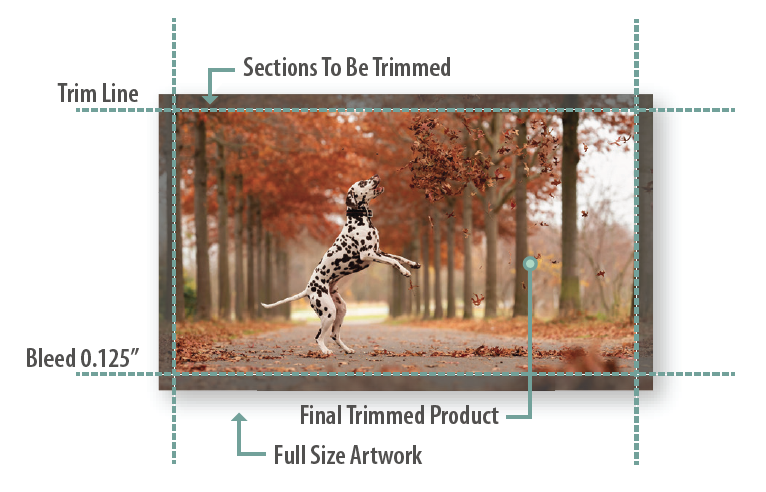
What Is the Safe Area?
The safe area is an inner margin set .125" within the trim line, or .25" from the bleed edge of the file. This is shown on our templates as a solid green line. It acts as a buffer zone to protect elements such as text or important artwork. Even with slight cutting variations, anything placed inside the safe area will remain intact after trimming.
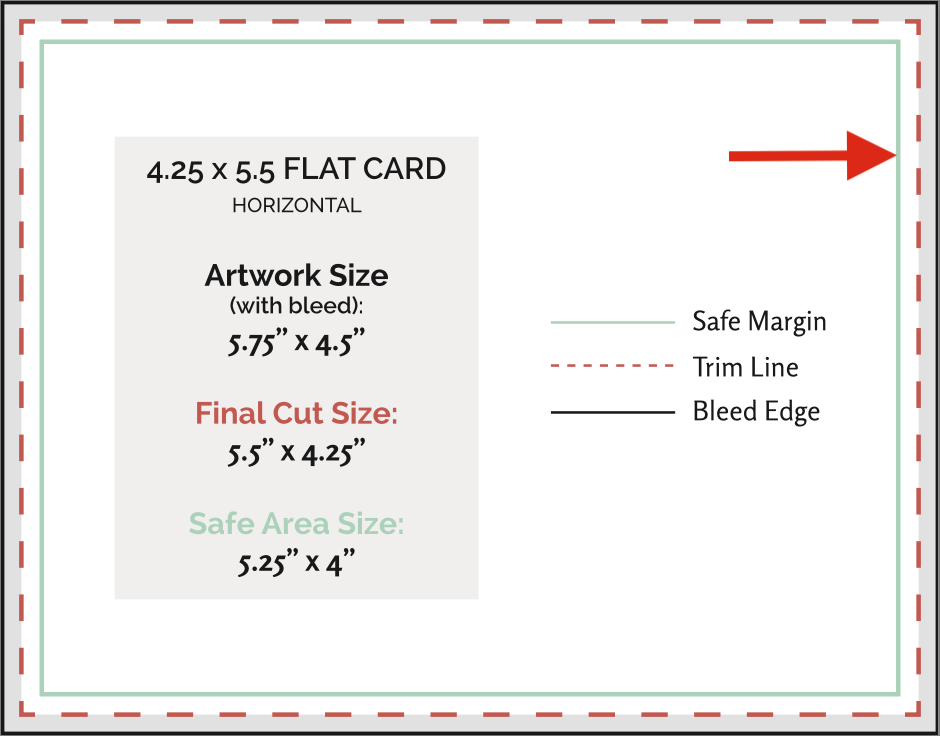
Why the Safe Area Matters
Our templates include clearly marked safe areas to help you design with confidence. Keeping your text and important artwork within the safe area prevents accidental cutoffs and maintains visual balance.
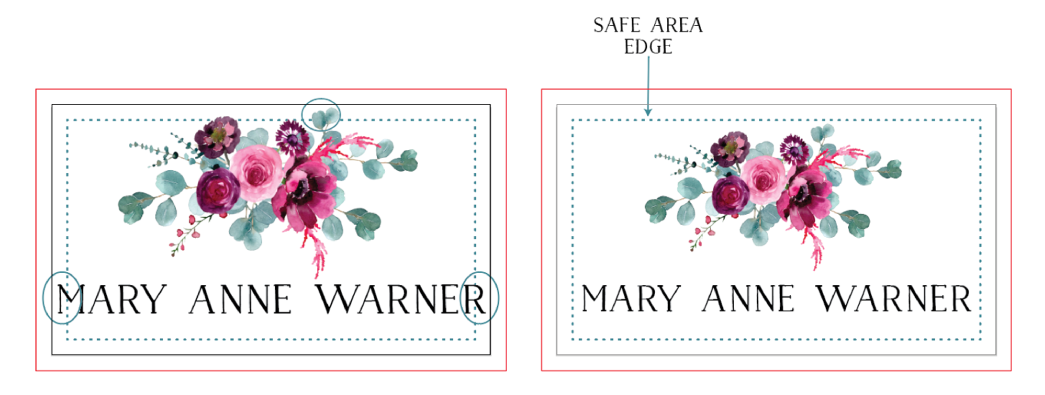
What Happens If You Ignore the Safe Area?
Improper placement of text or artwork can lead to noticeable issues such as text getting cut off, uneven printing, and an unprofessional appearance.
To ensure the best results:
Keep all important content inside the safe area
Extend background colors or images beyond the trim line to the bleed edge of the file
Avoid placing text or logos near edges
Always use our provided templates as a guide
Final Thoughts
Understanding trim lines and safe areas is essential for producing high-quality printed stationery. By respecting these boundaries, you can avoid costly mistakes and ensure your final product looks just as you envisioned.
Related Articles:
Was this article helpful?
That’s Great!
Thank you for your feedback
Sorry! We couldn't be helpful
Thank you for your feedback
Feedback sent
We appreciate your effort and will try to fix the article