Variable printing is used for projects that share the same basic layout but require different content on each piece. These files must be submitted as a multi-page PDF, with one page per variation. Each page will print once.
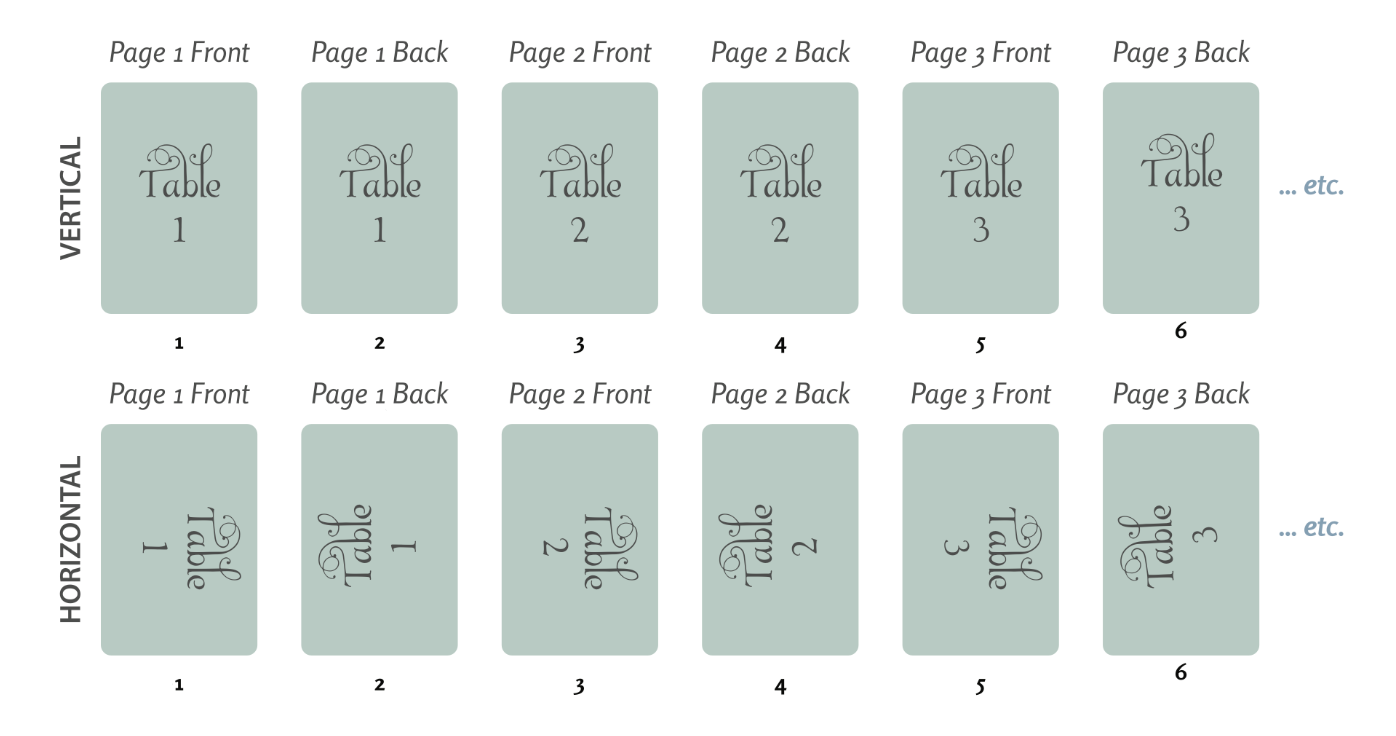
Flat Cards
4|0 (Front Only):
The PDF should contain each front design on separate pages.

4|4 (Front and Back):
The PDF should alternate front and back pages for each card.
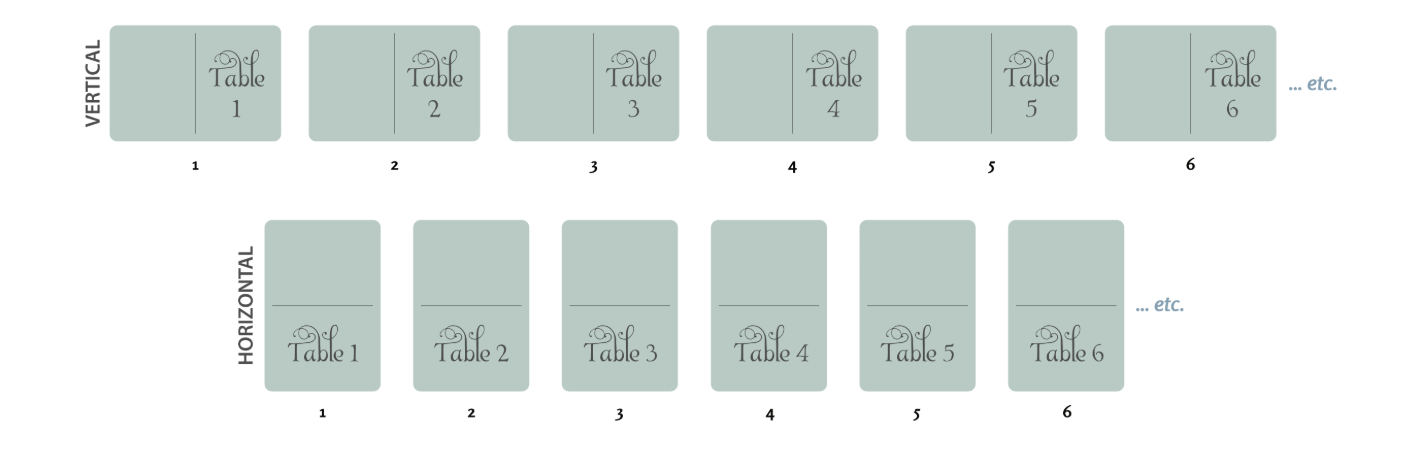
Folded Cards
4|0 (Front Only):
Include each front design on separate pages.
4|4 (Front and Back):
Alternate front and back pages for each folded card.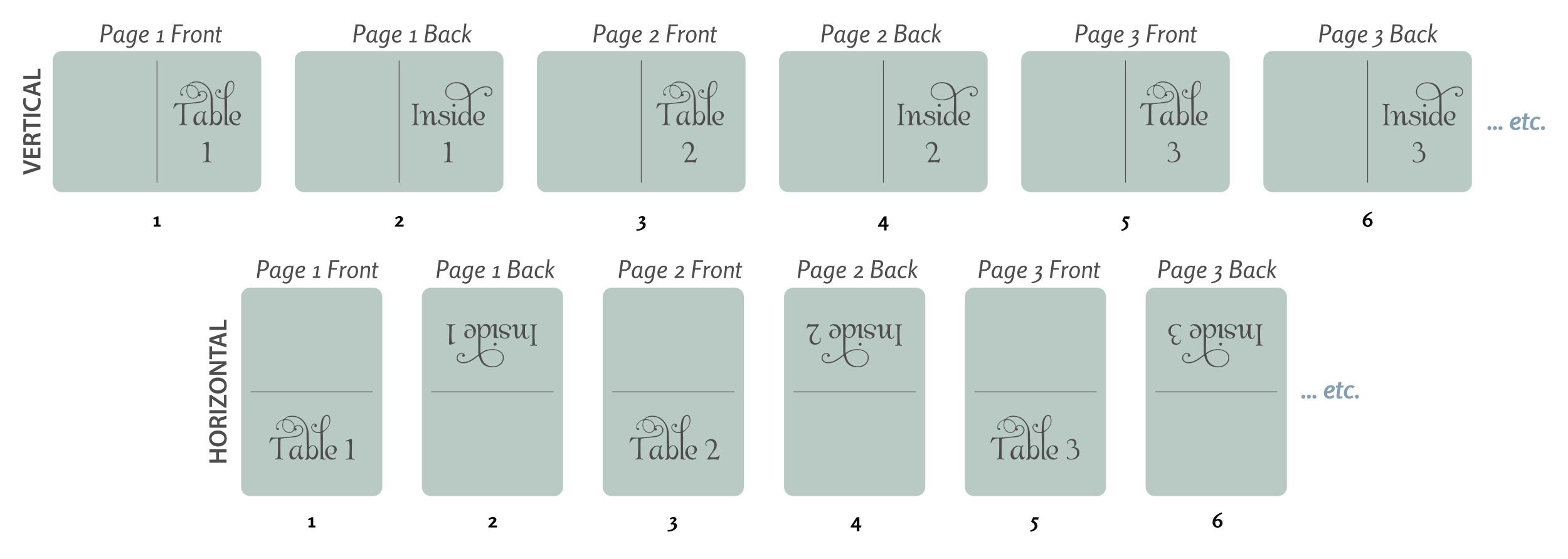
How to Create a Variable File
You can create variable printing files in a variety of design programs, including Adobe Illustrator, InDesign, and Canva. These programs allow you to set up multiple pages or artboards in a single document, with each variation placed on its own page.
Some tools, like InDesign and Canva, also offer spreadsheet import features to help streamline larger projects.
When finished, export everything as a single print-ready multipage PDF.
Important Notes:
- We only print the number of pages within your file. Pages are not duplicated in the print run.
- If the back or the front of the card is the same for all cards within the set, you must still include that page duplicated within your file for each printed card.
Was this article helpful?
That’s Great!
Thank you for your feedback
Sorry! We couldn't be helpful
Thank you for your feedback
Feedback sent
We appreciate your effort and will try to fix the article