When designing for print, it is important to remember that cuts, folds, and scores are not perfectly exact. Small variations can happen during production, and that natural movement is called production shift.
In simple terms, production shift is the slight movement that can occur when a printed piece is trimmed, folded, or scored. Because of this, trim lines should always be treated as approximate guides, not exact edges.
Why Bleed Matters
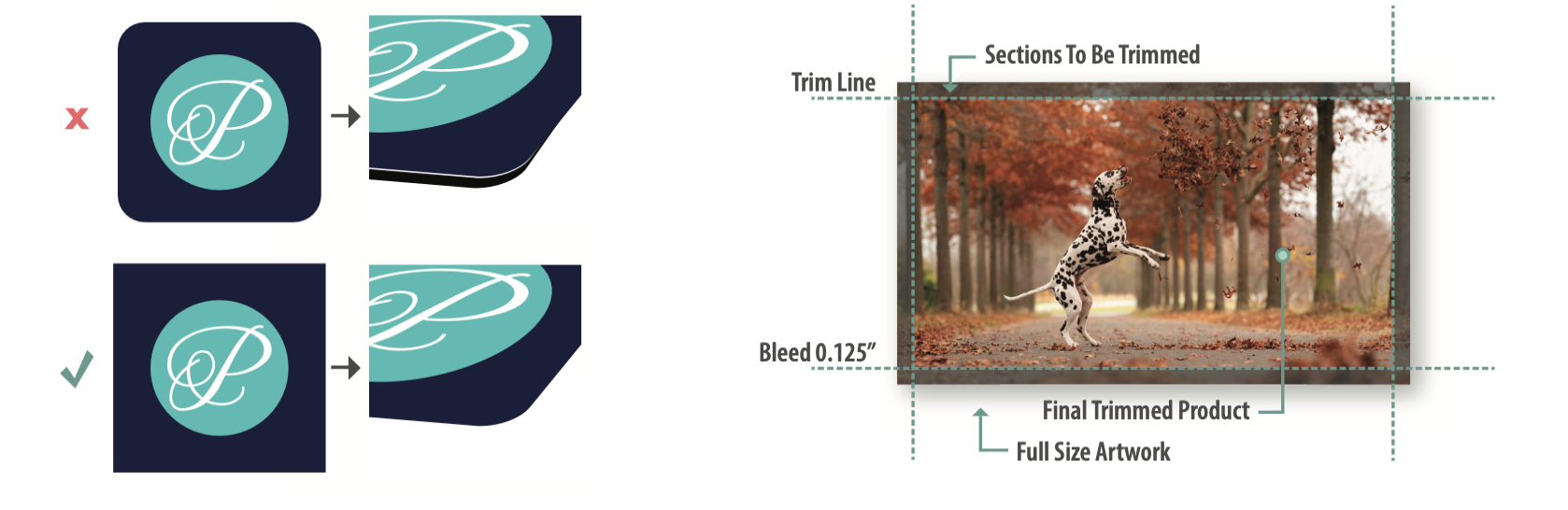
Bleed exists to help account for production shift on items that have printing to the edge of the product. By extending artwork that is intended to 'bleed' to the edge of the printed piece beyond the trim edge, file bleed prevents unwanted white edges after trimming.
The industry-standard bleed is 1/8" (0.125"). Our allowable production shift, which is the amount of movement that may occur during trimming, folding, or scoring, is only half of that, 1/16" (0.0625"). While we maintain tight production standards, designing with this tolerance in mind helps create the best possible finished product.
Designs Most Affected by Production Shift
Some layouts are naturally more sensitive to even the smallest movement during trimming or scoring. These designs often require additional planning and spacing to avoid noticeable inconsistencies in the final piece.
Borders
Borders placed close to the trim edge are one of the most common problem areas in print. Even a slight production shift can cause one side of the border to appear thicker than the other, making the piece feel visually uneven.

To help avoid this issue, be cautious when designing edge-sensitive borders and allow enough space for natural production variation. To learn more, check out our best practices for borders.
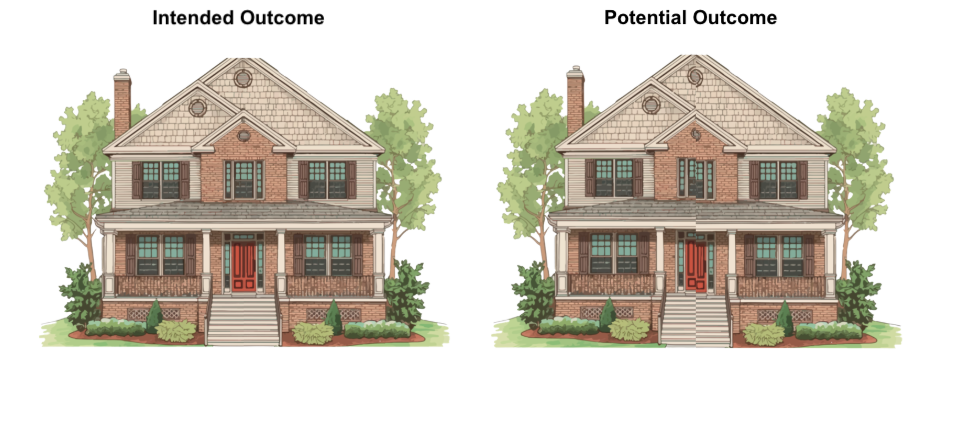
Mirror Gatefold Designs
Mirror layouts that rely on perfect alignment across folds can become noticeably off if production shift occurs during scoring or folding. Even small variations may interrupt the symmetry of the design.
For tips on setting up a mirror gatefold card, please check out our Mirrored Gatefold Panels article.
Text or Artwork Near the Edge
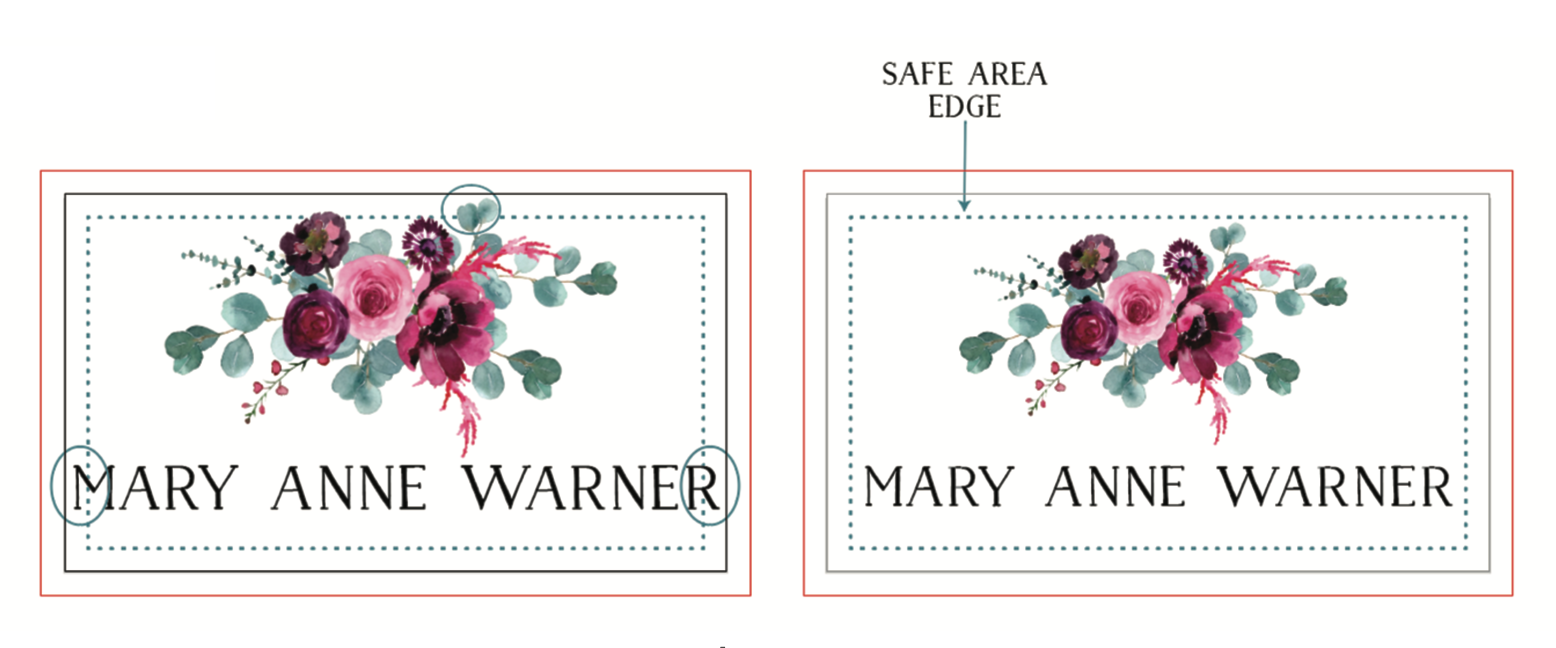
Important text, logos, or artwork placed too close to the trim edge risk being cut off or appearing crowded after finishing. Keeping critical elements safely inside the safe area helps preserve readability and balance.
Full Bleed Panel Artwork on Folded Cards
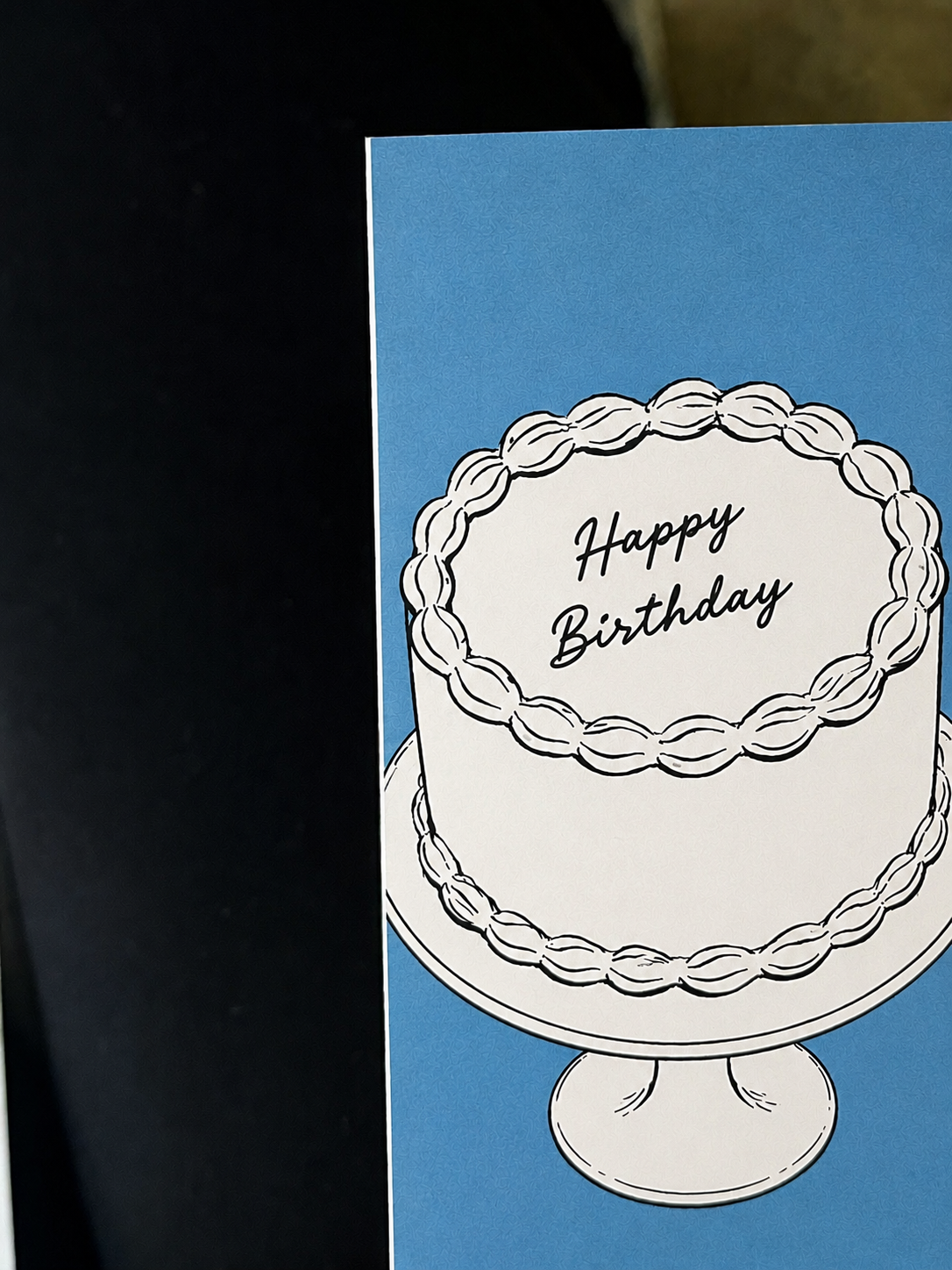
Artwork that extends across folded or scored panels can shift slightly during production. This is especially noticeable on brochures, gatefolds, and folded cards where panel alignment is visually important. To help minimize this effect, extend your artwork 1/16" (0.0625") past the fold line when designing.
In the example below, the artwork stops directly at the fold line, and the production shift resulted in a thin white edge appearing along the fold.
Designing for Print Reality
The best print designs are not built around screen-perfect alignment. They are built around real-world production.
A strong layout leaves breathing room around important elements, avoids edge-sensitive design decisions when possible, and anticipates natural production tolerances from the beginning.
The goal is not to fear production shift, but to design confidently with it in mind.
What to Keep in Mind
- Build extra space around important text and artwork.
- Be cautious with thin borders and edge-sensitive layouts.
- Allow room for folds, trims, and scoring variation.
- Treat trim lines as approximate, not absolute.
- Design for print reality, not screen perfection.
When a design is created with production shift in mind from the start, the final printed piece not only looks better, it feels more polished, professional, and intentional.
Related Articles:
Was this article helpful?
That’s Great!
Thank you for your feedback
Sorry! We couldn't be helpful
Thank you for your feedback
Feedback sent
We appreciate your effort and will try to fix the article